
 01
Enlarge
01
Enlarge
Dolibarr v20 to v23
KSIDol module with 1 year of updates
1 year of updates included
Dolibarr E-Signature Module | SMS OTP proof | KSIDol
Dolibarr electronic signature module with SMS OTP, evidence file, audit log, SHA-256 fingerprints and online customer validation.
Installation, configuration and technical support are available separately.
Module gallery
Screenshots and module previews
01
Enlarge
 02
Enlarge
02
Enlarge
 03
Enlarge
03
Enlarge
 04
Enlarge
04
Enlarge
 05
Enlarge
05
Enlarge
 06
Enlarge
06
Enlarge
 07
Enlarge
07
Enlarge
 08
Enlarge
08
Enlarge
 09
Enlarge
09
Enlarge
 10
Enlarge
10
Enlarge
 11
Enlarge
11
Enlarge
 12
Enlarge
12
Enlarge
 13
Enlarge
13
Enlarge
 14
Enlarge
14
Enlarge
Functional details
Dolibarr Electronic Signature Module - SMS OTP and evidence software
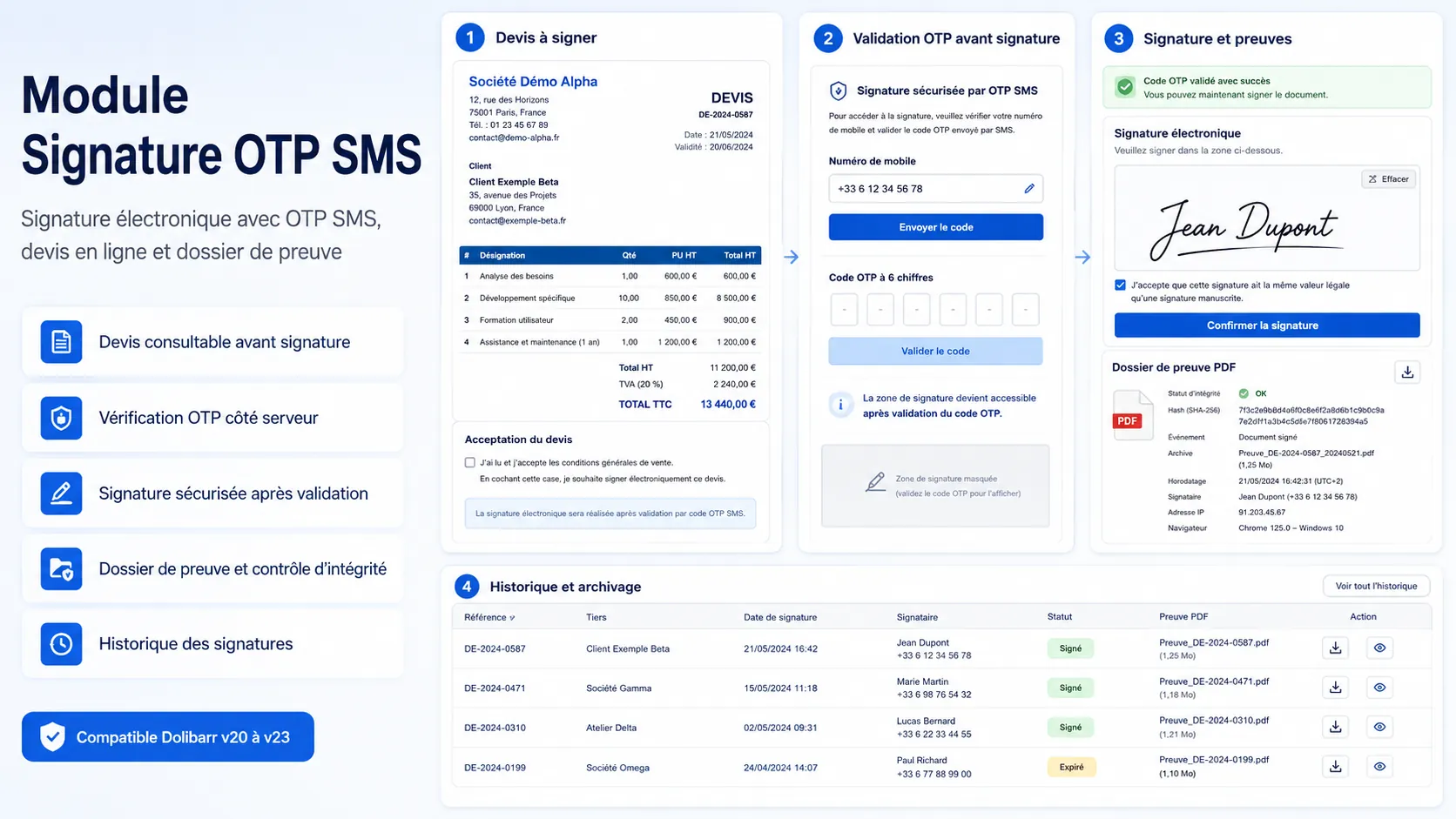
SignIadesSmsOtp is a Dolibarr electronic signature module with SMS OTP, integrity control, and an evidence package, designed to strengthen the probative value of a simple electronic signature within Dolibarr.
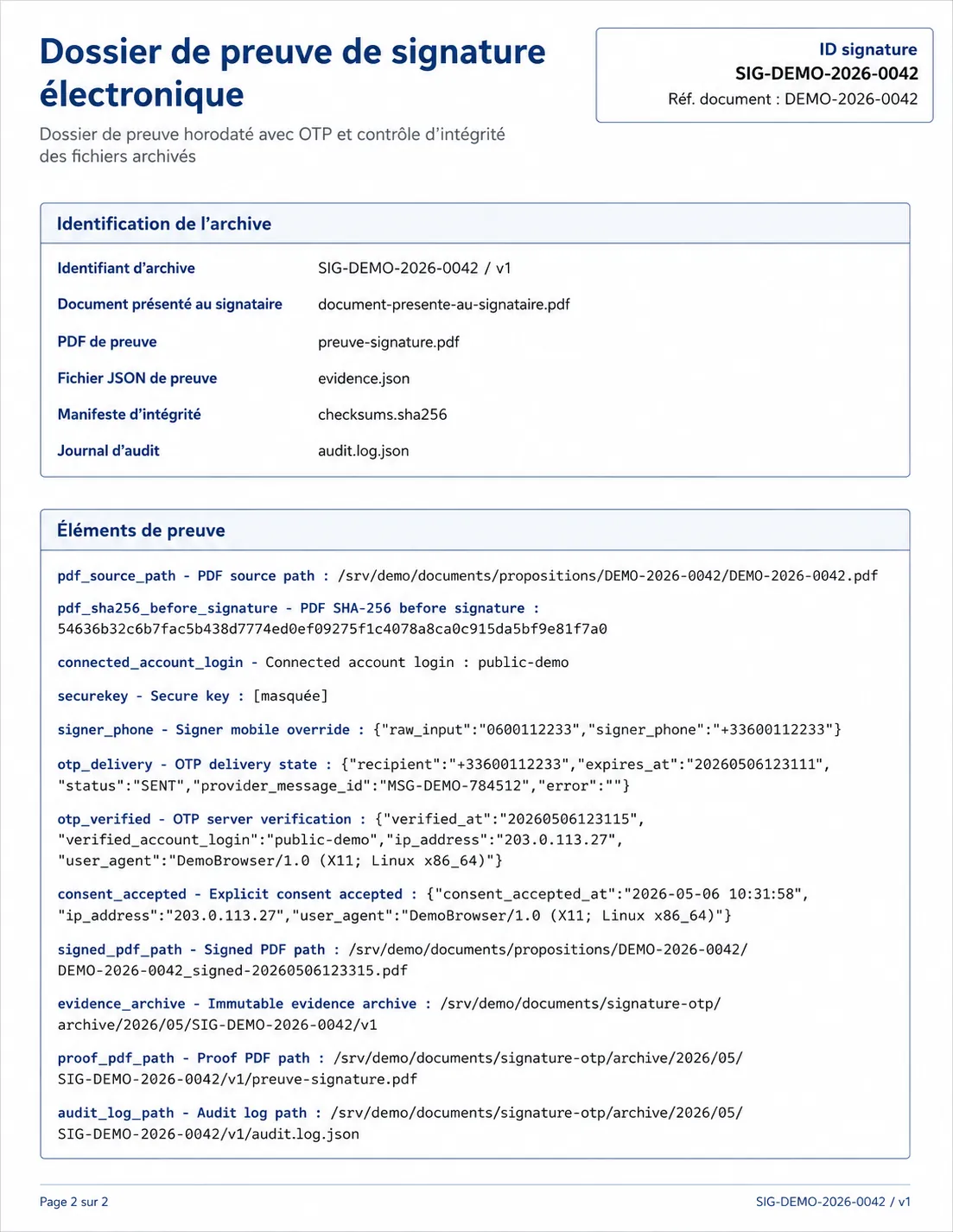
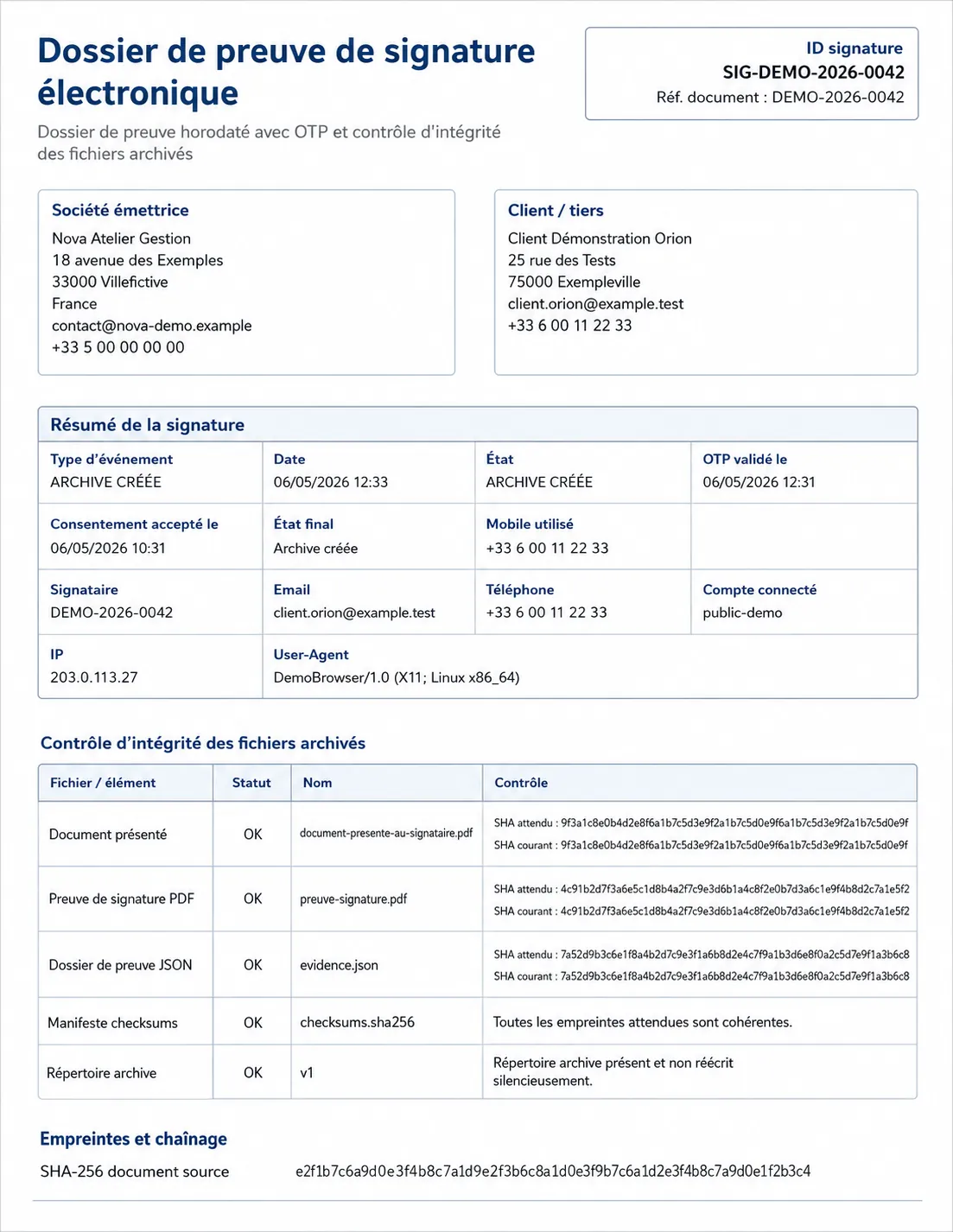
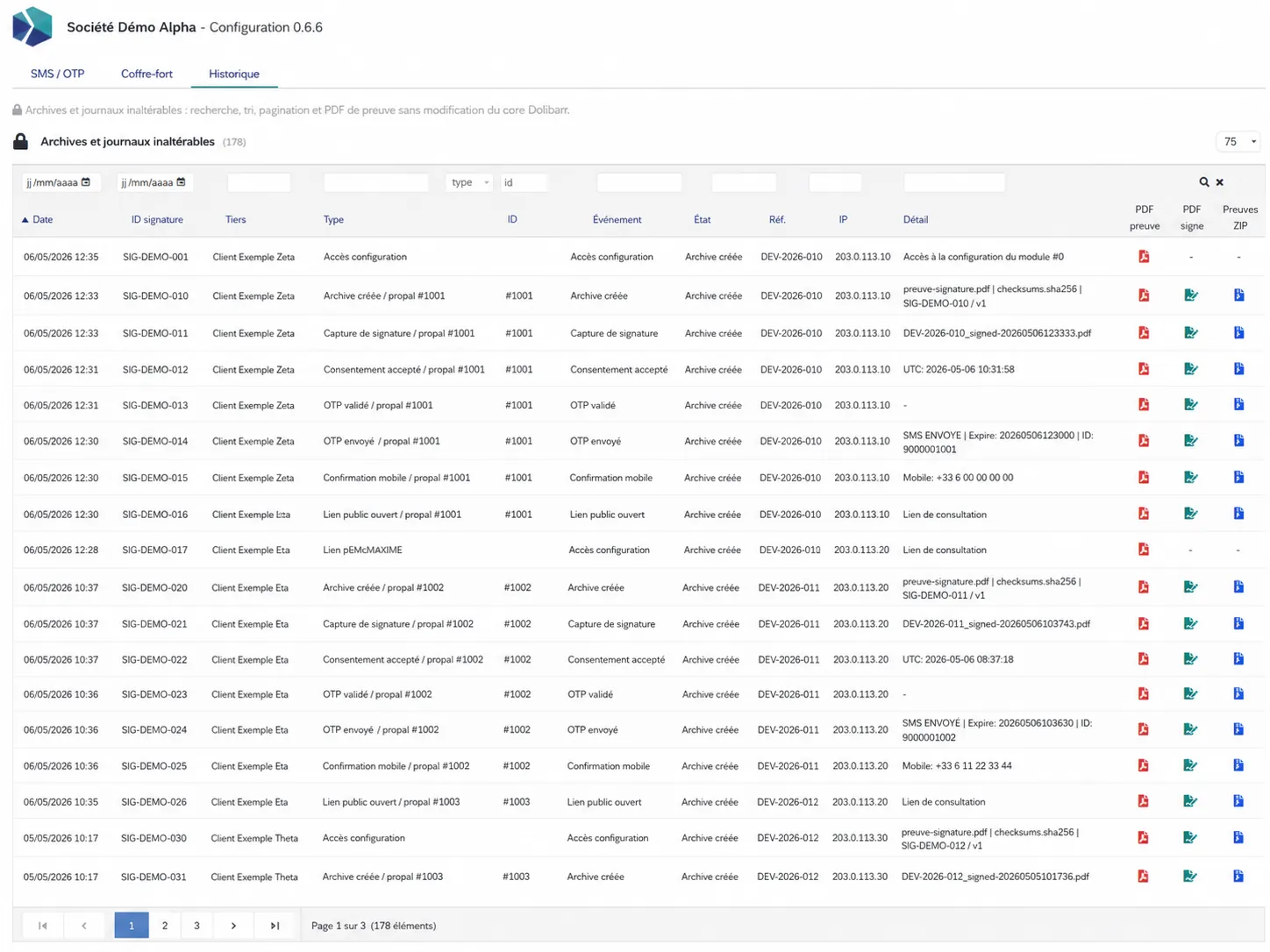
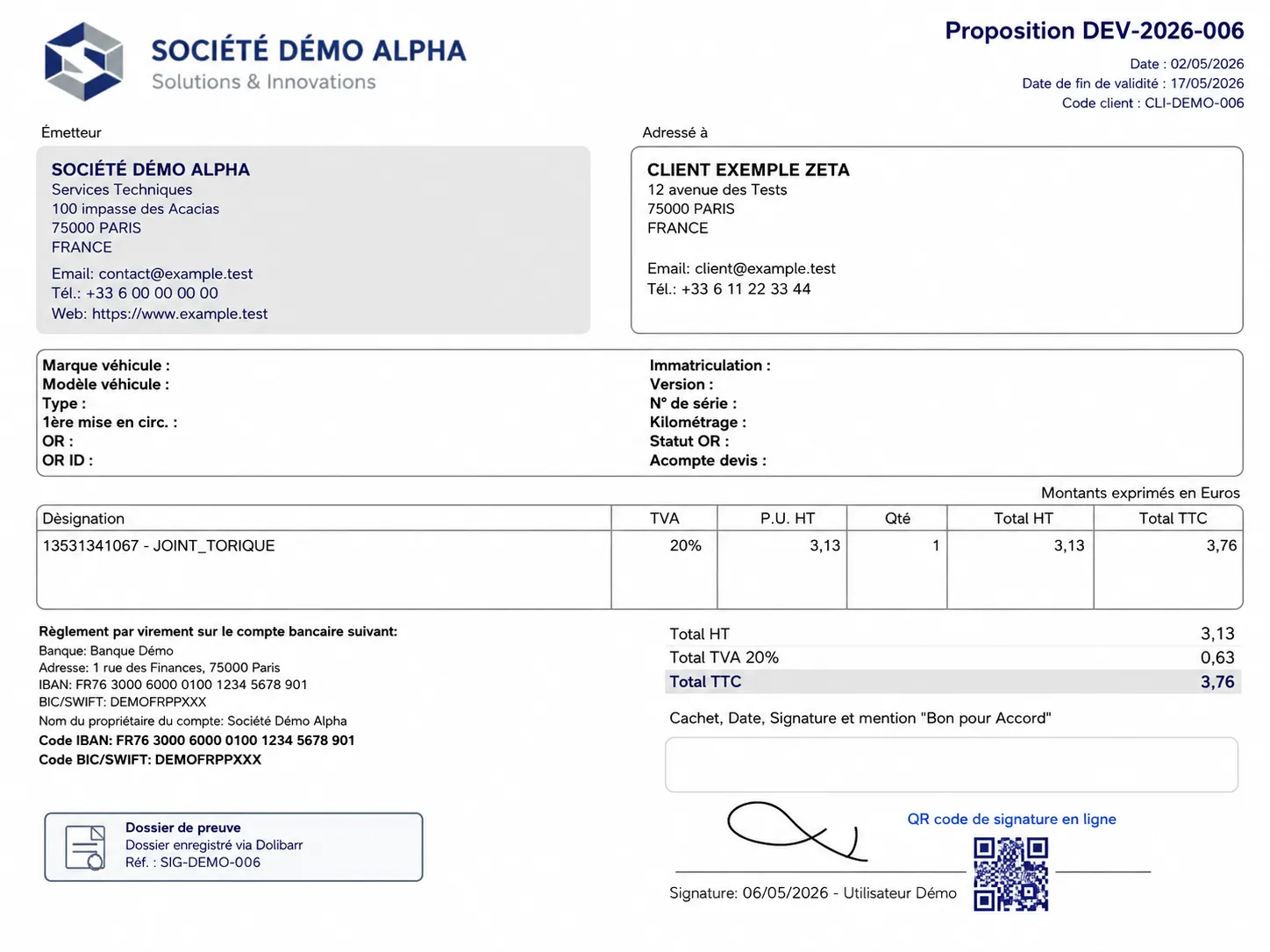
The module adds an SMS OTP verification step before signature, detailed process logging, a PDF/JSON evidence package, as well as archiving of the technical elements related to the signature.
Important: this module is intended to strengthen the probative value of a simple electronic signature. By itself, it does not constitute a guarantee of full compliance at an advanced or qualified level under eIDAS / iADES without additional integration with a provider, cryptographic sealing, or an appropriate trust service.
Module positioning
| Item | Description | Benefit |
|---|---|---|
| Main function | Electronic signature with SMS OTP and evidence package | Strengthens the probative value of the signature |
| Entry point | Dolibarr online signature | Integrated experience within the Dolibarr workflow |
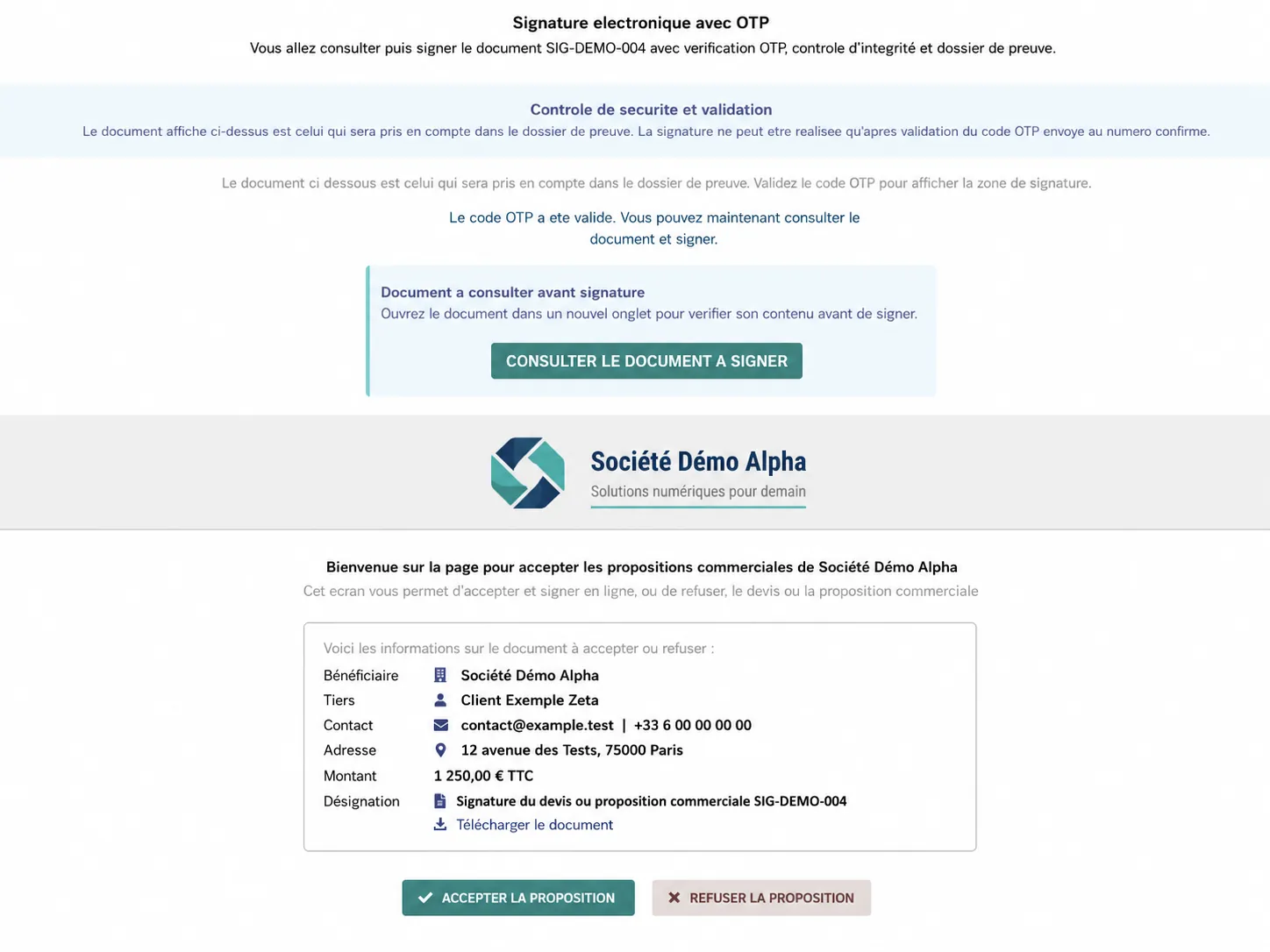
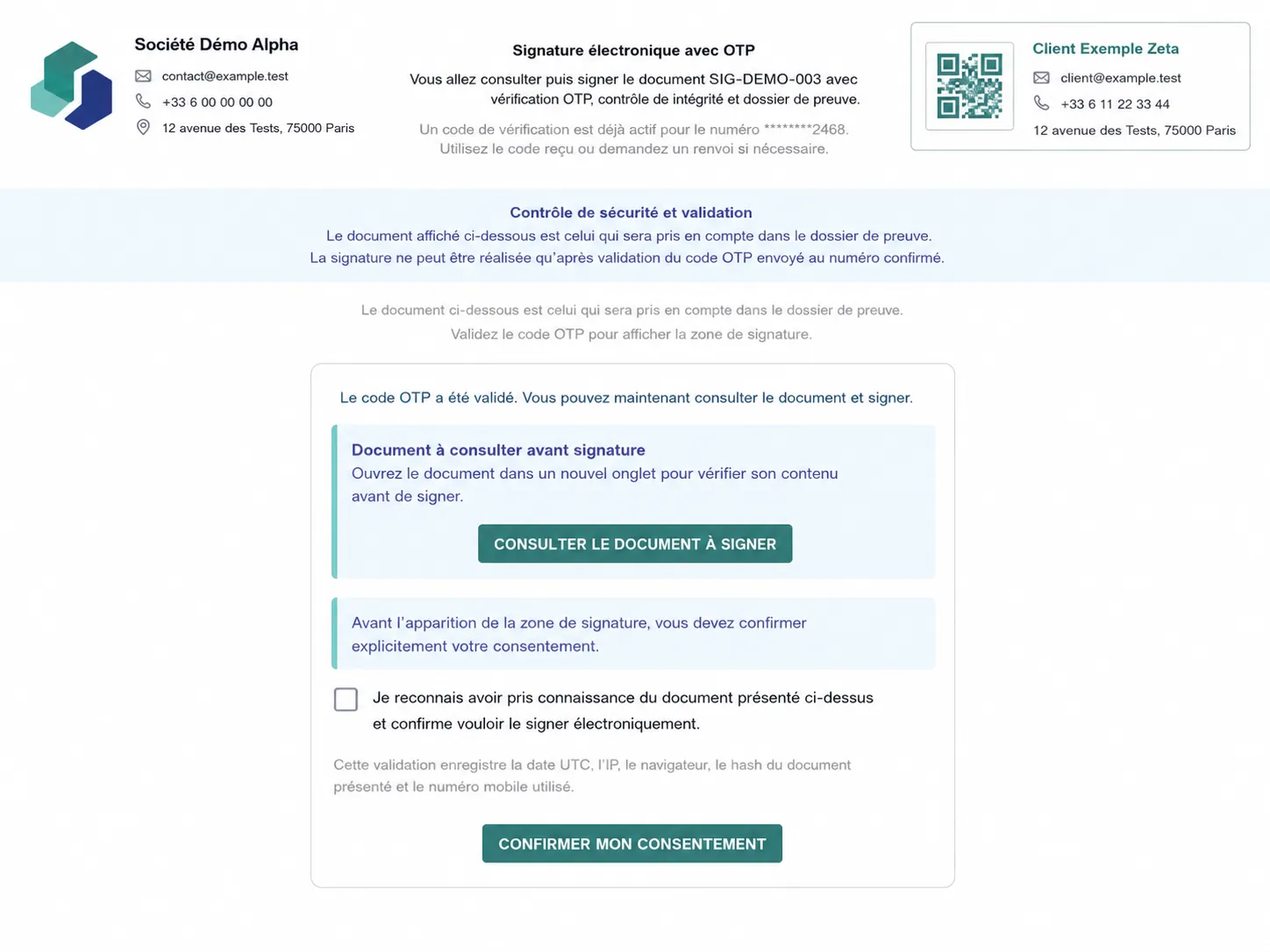
| OTP verification | SMS code required before the signature block is displayed | Additional signer verification |
| Evidence package | Logging, SHA-256 fingerprints, events, and evidence PDF | Improved traceability |
| Archiving | Archiving of evidence elements and integrity control | Monitoring and verification of files |
| Main benefit | Adds a layer of security and evidence to Dolibarr signatures | More serious use for quotations and contractual documents |
Available languages
| Flag | Language | Code | Availability |
|---|---|---|---|
| 🇫🇷 | French | FR | Yes |
| 🇬🇧 | English | EN | Yes |
| 🇮🇹 | Italian | IT | Yes |
| 🇩🇪 | German | DE | Yes |
| 🇪🇸 | Spanish | ES | Yes |
Main features
| Feature | Description | Benefit |
|---|---|---|
| Online signature | Adds an additional security layer to the Dolibarr online signature process | More controlled workflow |
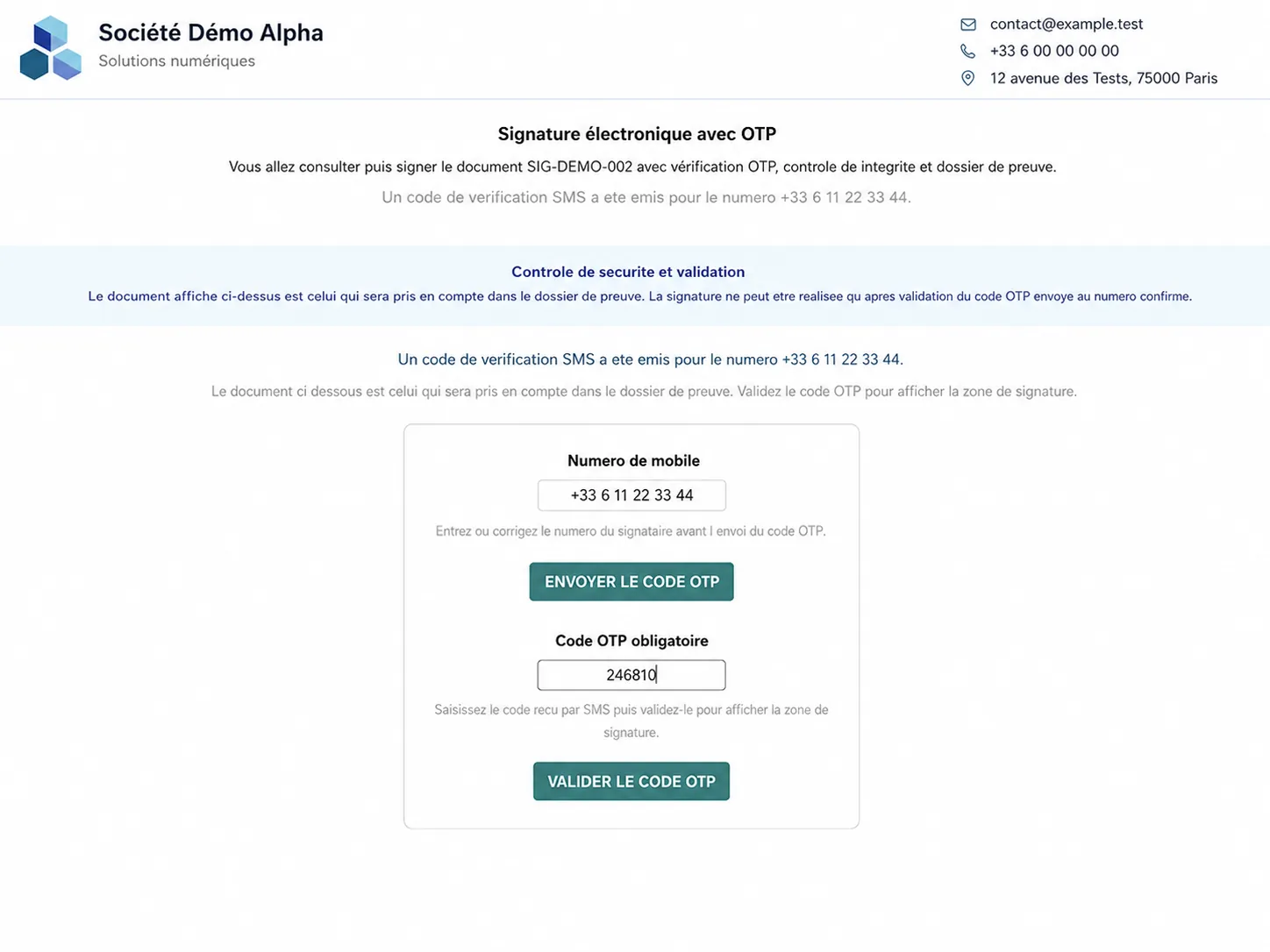
| SMS OTP control | Sends an OTP code before authorizing the signature | Additional signer validation |
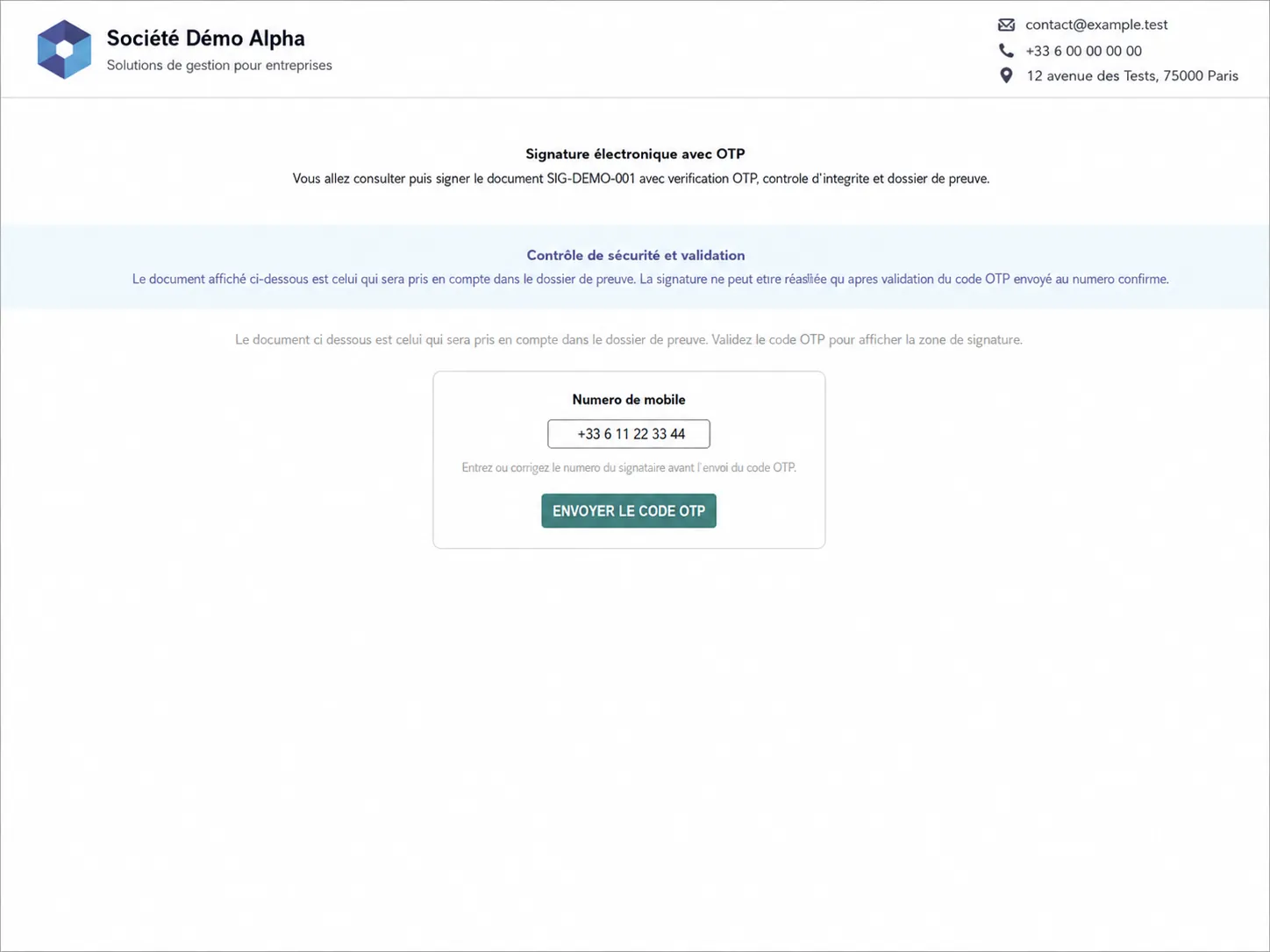
| Editable phone number | The signer can enter or correct the mobile number before the OTP is sent | Reduced delivery errors |
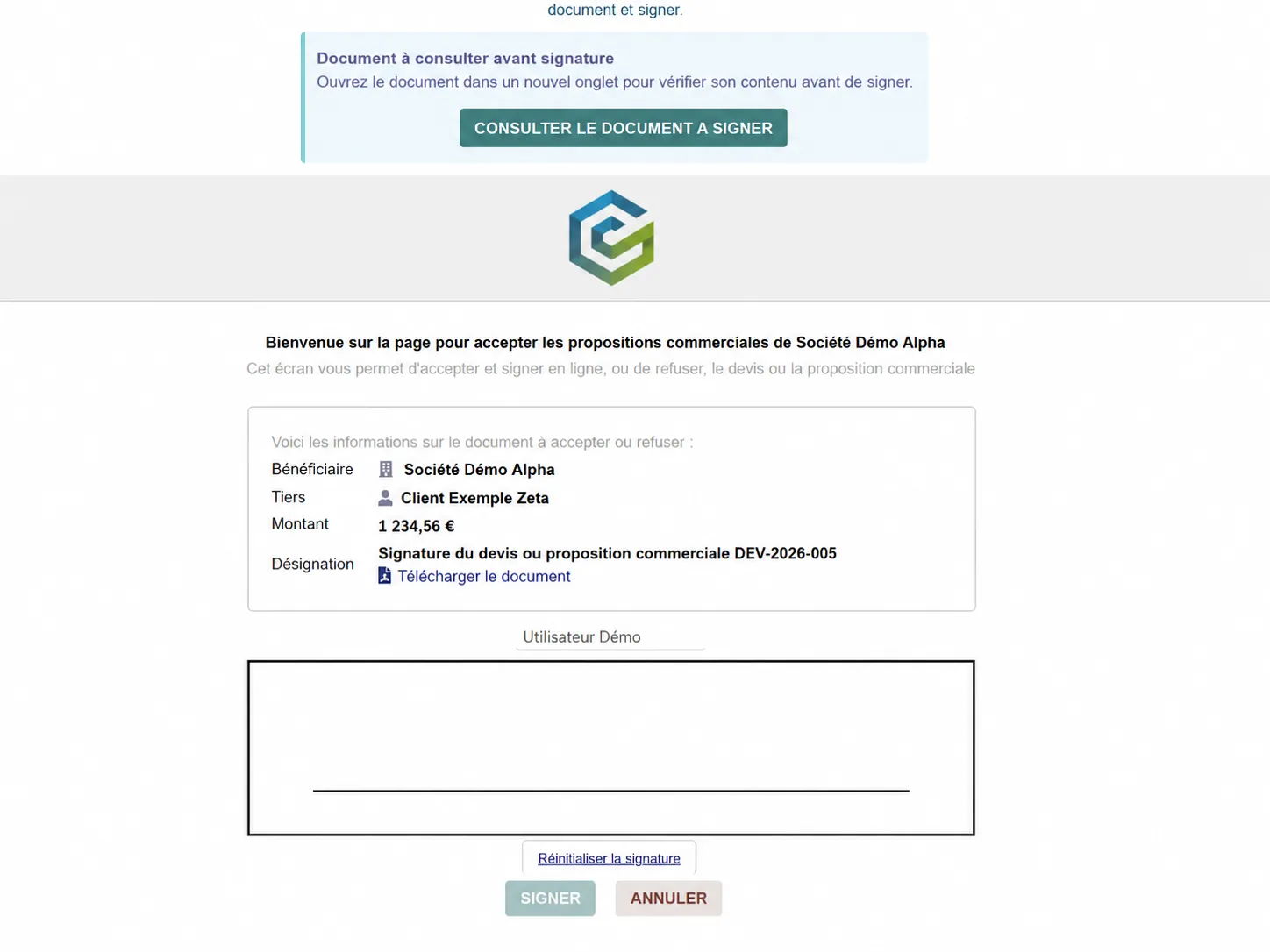
| Hidden signature block | The signature area only appears after OTP validation | Stricter workflow |
| Probative logging | IP, user-agent, dates, events, OTP, fingerprints | Better traceability |
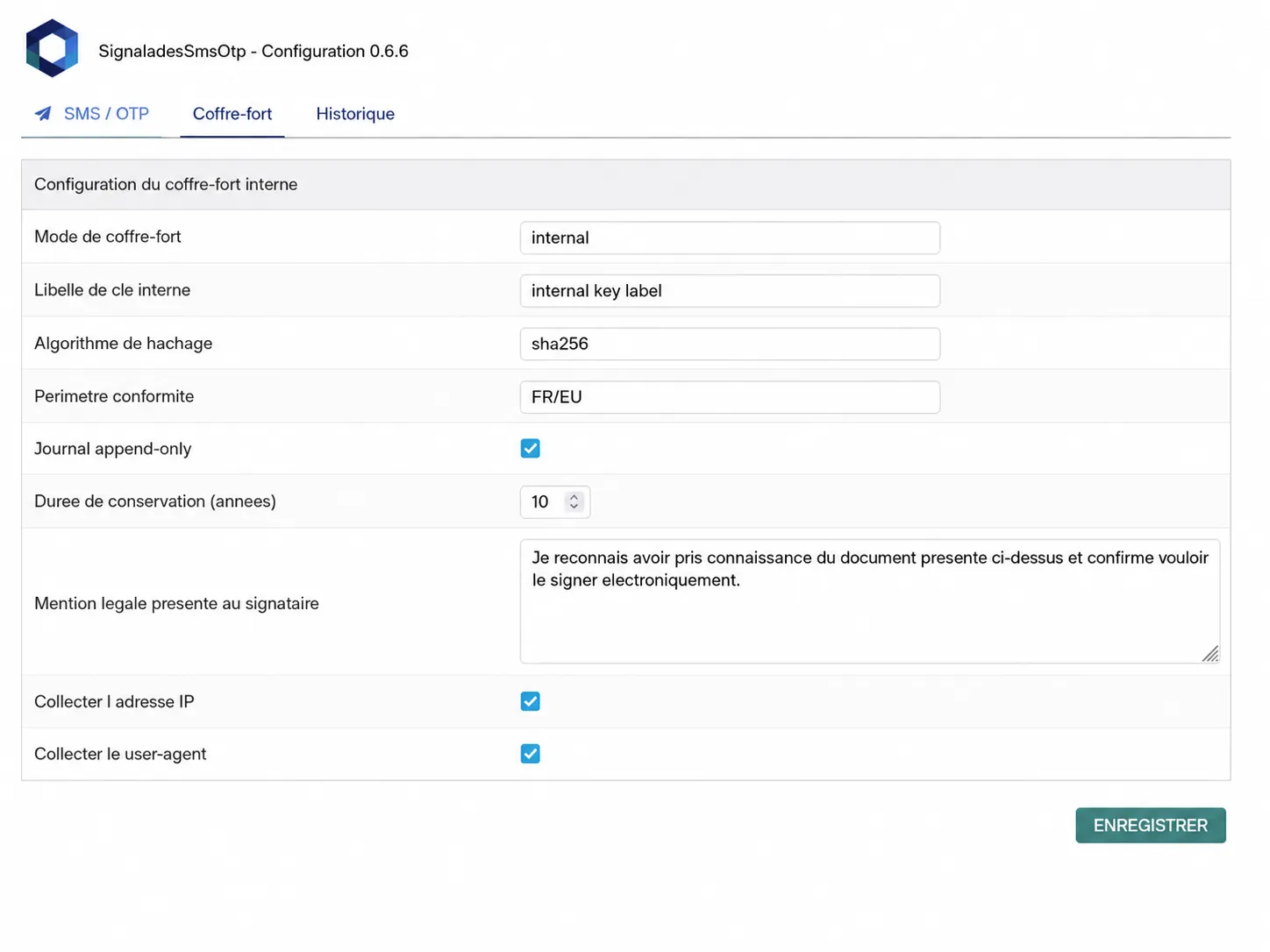
| SHA-256 fingerprints | Calculates fingerprints on evidence files | Integrity control |
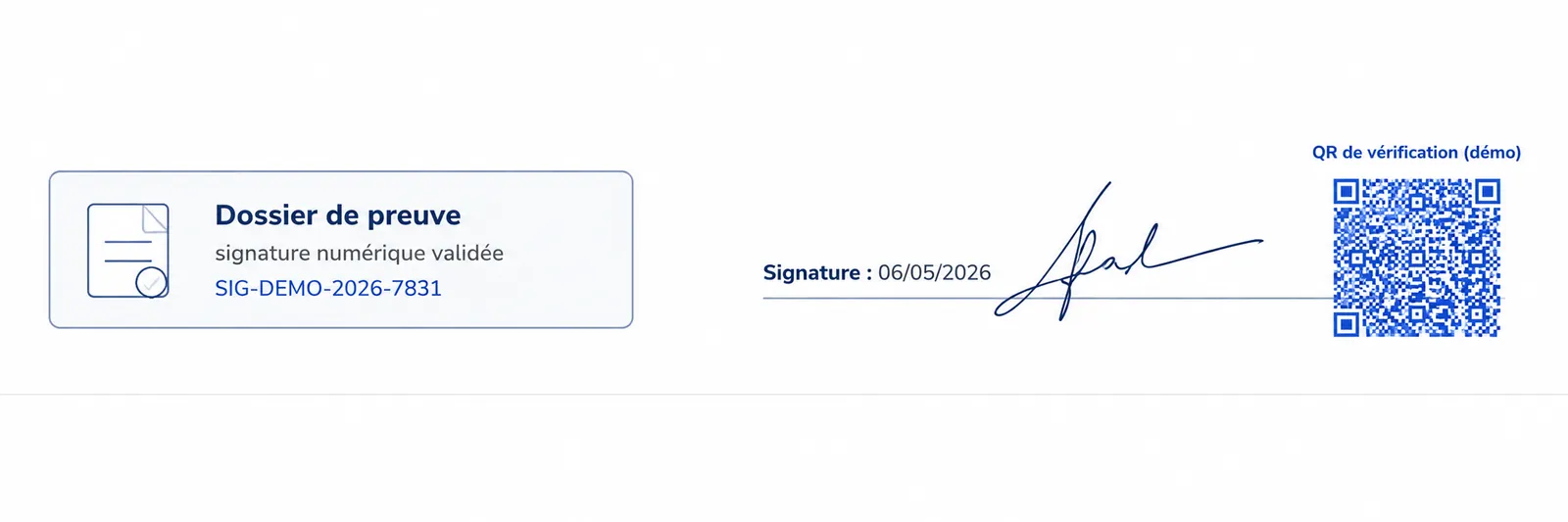
| Evidence PDF | Generates a readable evidence document | Simple and structured consultation |
| Technical archiving | Stores the evidence files and checksum manifest | Post-signature tracking |
| Multilingual | FR, EN, IT, DE, ES interface | Suitable for international teams |
General workflow
-
The customer opens the signature link
The related document is loaded in the public signing workflow. -
The customer checks or enters the mobile number
The number used for OTP verification can be confirmed or corrected. -
The module sends an OTP code by SMS
The customer receives a short-lived code to continue the signature process. -
The customer validates the OTP code
The code must be validated before the signature block appears. -
The signature block is displayed
The document and signature area become accessible after OTP validation. -
The signature is recorded
The module logs the events and generates the evidence elements. -
The evidence package is archived
Signature information, fingerprints, and technical files are stored.
Possible use cases
| Use case | Example | Goal |
|---|---|---|
| Quotation signature | Commercial approval by the customer | Speed up quotation acceptance |
| Acknowledgment / validation | Contractual document or customer commitment | Strengthen traceability |
| After-sales service files | Customer validation after intervention | Keep proof of acceptance |
| Administrative documents | Acceptance or signature with OTP | Structure the proof of signature |
| Remote validation | Customer not logged into Dolibarr | Enable simple signature with stronger evidence |
Business benefits
| Benefit | Explanation | Impact |
|---|---|---|
| Additional control | SMS OTP adds a step before signature | More security in the workflow |
| Traceability | Signature events are logged | Better understanding of the process |
| Structured evidence | Evidence PDF and archived technical data | Simpler consultation |
| Dolibarr integration | The module fits into the Dolibarr signature workflow | Less user friction |
| Flexibility | The signer can correct the mobile number | Fewer SMS delivery failures |
| Integrity control | Fingerprints and manifest allow technical verification | Better archive consistency |
Technical compatibility
| Item | Compatibility | Information |
|---|---|---|
| Dolibarr | v20 to v23 | Module designed for these versions |
| PHP | 8.0 to 8.4 | Compatible with recent PHP environments depending on configuration |
| Online signature | Dolibarr public workflow | Adds an OTP and evidence layer |
| SMS | OVH SMS configuration / SendSMS logic | Used for OTP delivery |
| Languages | FR / EN / IT / DE / ES | Translated interface |
Installation
| Step | Action | Details |
|---|---|---|
| 1 | Install the module | From Dolistore or into htdocs/custom/ depending on your installation method |
| 2 | Enable the module | Home > Setup > Modules / Applications |
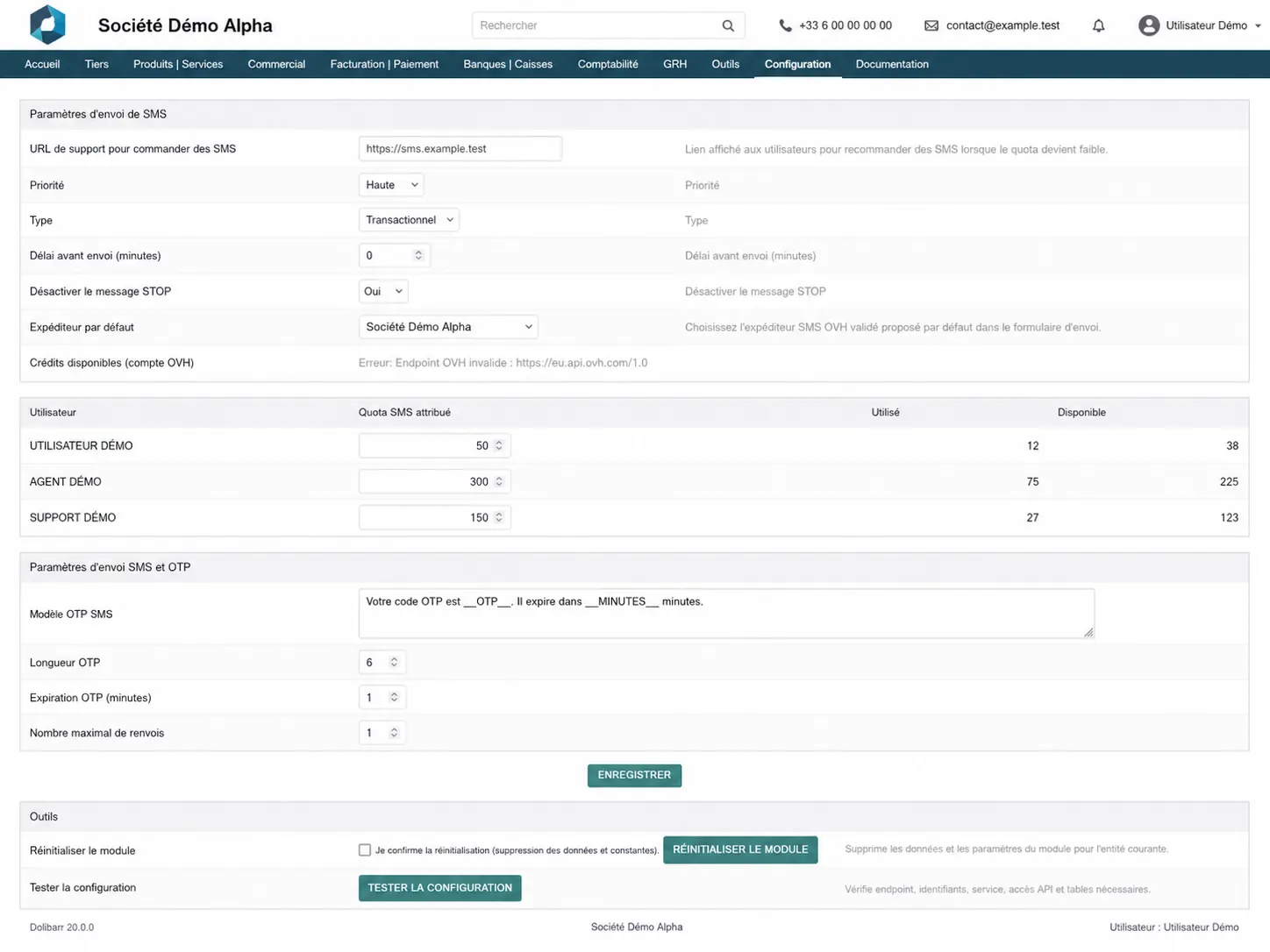
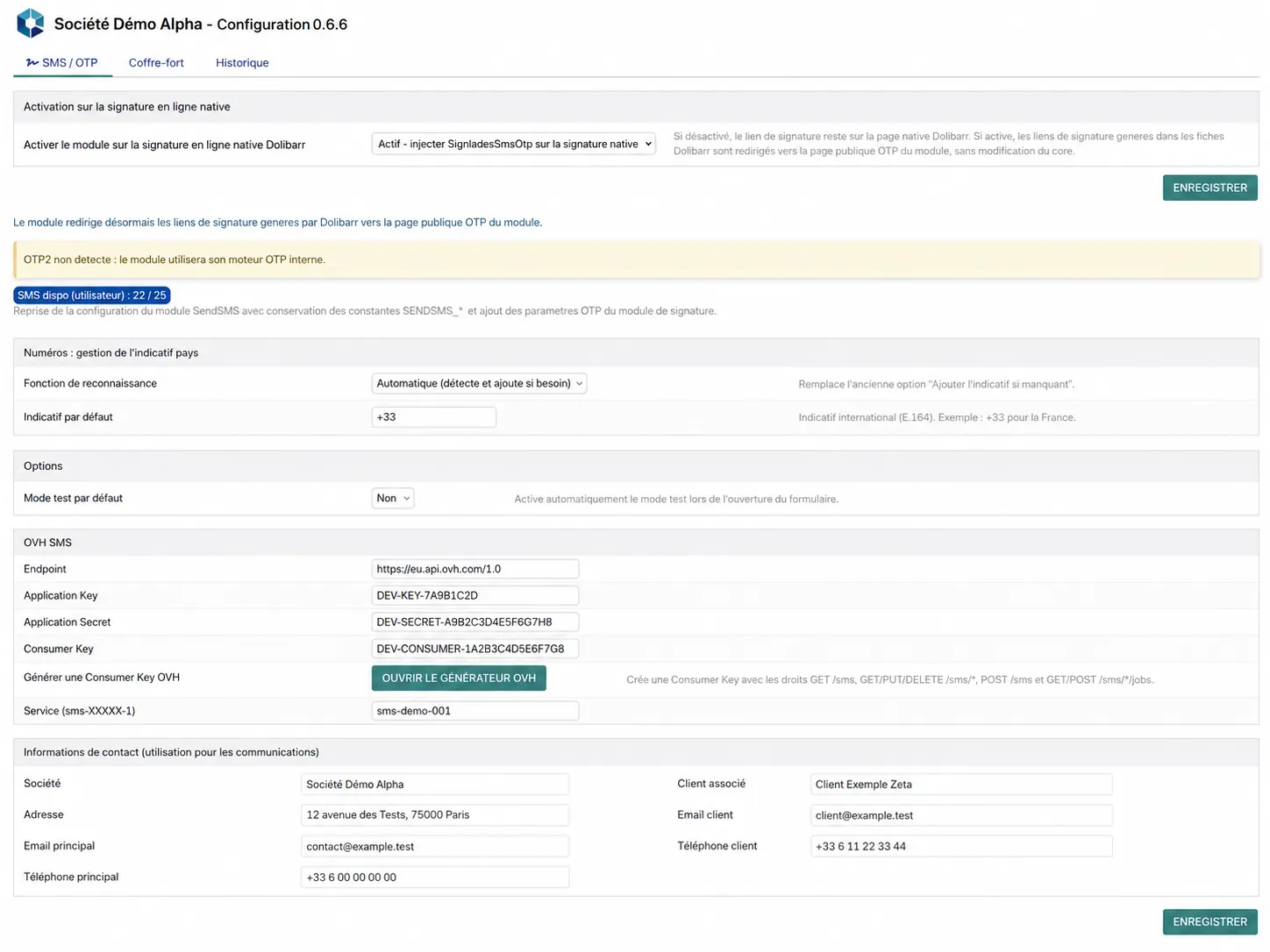
| 3 | Configure SMS | Fill in the OVH SMS settings or reuse the configuration from the SendSMS module |
| 4 | Configure the workflow | Enable integration with Dolibarr online signature |
| 5 | Test | Send an OTP and perform a test signature |
Usage
| Step | Action | Goal |
|---|---|---|
| 1 | Open the signature link | Access the public workflow |
| 2 | Review the document | Read the document to be signed |
| 3 | Enter or correct the mobile number | Define the OTP delivery number |
| 4 | Send the OTP code | Start SMS verification |
| 5 | Validate the OTP code | Unlock the signature |
| 6 | Sign | Complete the electronic signature |
| 7 | Review the evidence | Access the PDF and control data |
Important notes
| Point | Explanation | Impact |
|---|---|---|
| Legal positioning | The module strengthens the probative value of a simple electronic signature | It should not be presented as a qualified signature |
| eIDAS / iADES | The module does not, by itself, guarantee full compliance at an advanced or qualified level | A provider or additional mechanism should be considered for a higher assurance level |
| SMS OTP | OTP improves the evidence but does not by itself constitute a qualified signature | Probative strengthening, not handwritten-equivalent status |
| Archiving | The module archives the evidence elements and checks their integrity | Improves technical traceability |
| Trust service provider | An advanced or qualified level requires additional mechanisms | Should be considered depending on the required legal assurance level |
Need a standalone module, a SaaS instance or a complete solution?
KSIDol can sell the module, host it inside a Dolibarr instance and extend everything with custom development, support, document customization and email or SMS workflows.
