
 01
Enlarge
01
Enlarge
Dolibarr v19 to v23
KSIDol module with 1 year of updates
1 year of updates included
Dolibarr After-Sales Service Module - Repair, workshop and intervention software
Buy the KSIDol Dolibarr After-Sales module: cases, equipment, interventions, time spent, quotes, invoices, photos and signature.
Installation, configuration and technical support are available separately.
KSIDol
Discover the KSIDol signature terminal
Compatible KSIDol signature terminal
For certain field uses, KSIDol can complement this module with an accessory kit for a signature terminal, supplied unassembled and intended to be assembled by the customer with compatible hardware. It can support customer validation workflows such as signing a quotation, a repair order, an intervention or a compatible business document.
KSIDol
After-sales service, business customers and the 2026 reform
An after-sales case can involve equipment, interventions, time spent, quotations, invoices and customer history. The 2026 reform makes clean Dolibarr data even more useful, especially for business customers.
The module supports the after-sales workflow; compliance then depends on your third parties, products, services and billing rules.
Video
Module video presentation
Discover this KSIDol module in action, with a concrete overview of its use in Dolibarr.
Module gallery
Screenshots and module previews
01
Enlarge
 02
Enlarge
02
Enlarge
 03
Enlarge
03
Enlarge
 04
Enlarge
04
Enlarge
 05
Enlarge
05
Enlarge
 06
Enlarge
06
Enlarge
 07
Enlarge
07
Enlarge
 08
Enlarge
08
Enlarge
 09
Enlarge
09
Enlarge
 10
Enlarge
10
Enlarge
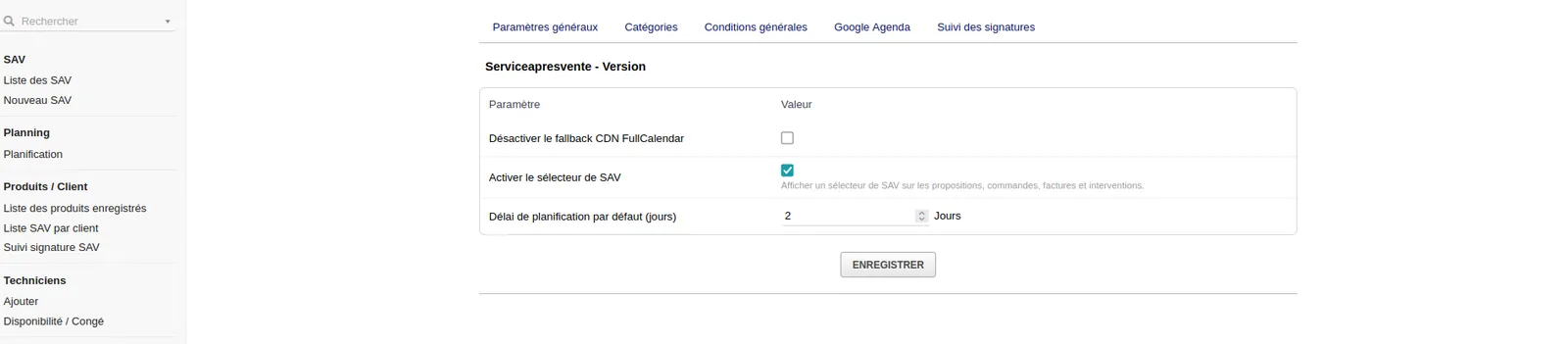 11
Enlarge
11
Enlarge
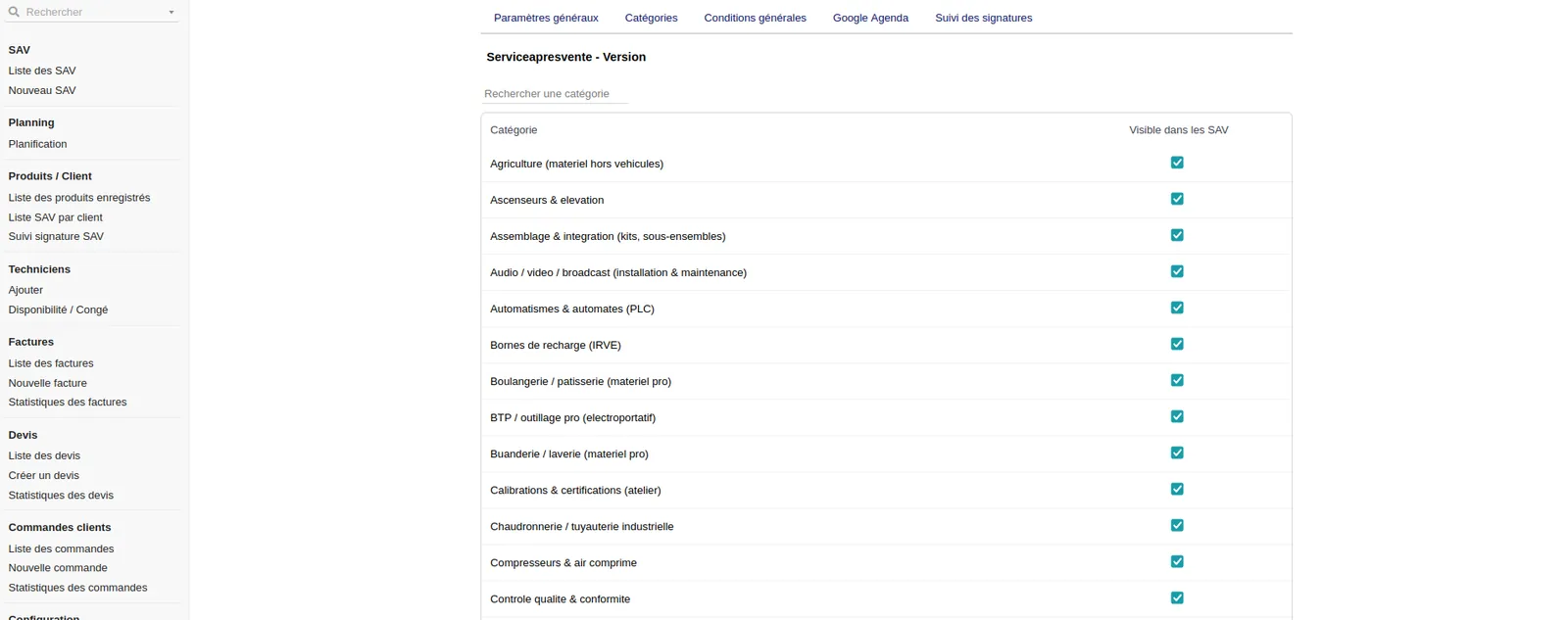 12
Enlarge
12
Enlarge
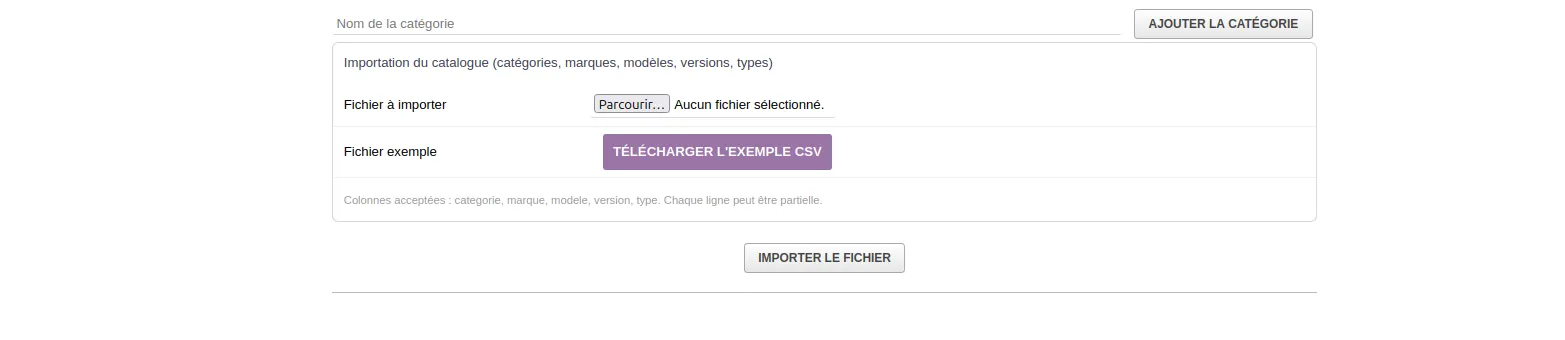 13
Enlarge
13
Enlarge
 14
Enlarge
14
Enlarge
 15
Enlarge
15
Enlarge
 16
Enlarge
16
Enlarge
 17
Enlarge
17
Enlarge
 18
Enlarge
18
Enlarge
 19
Enlarge
19
Enlarge
Functional details
After-Sales Service — Workshop SAV & Interventions for Dolibarr
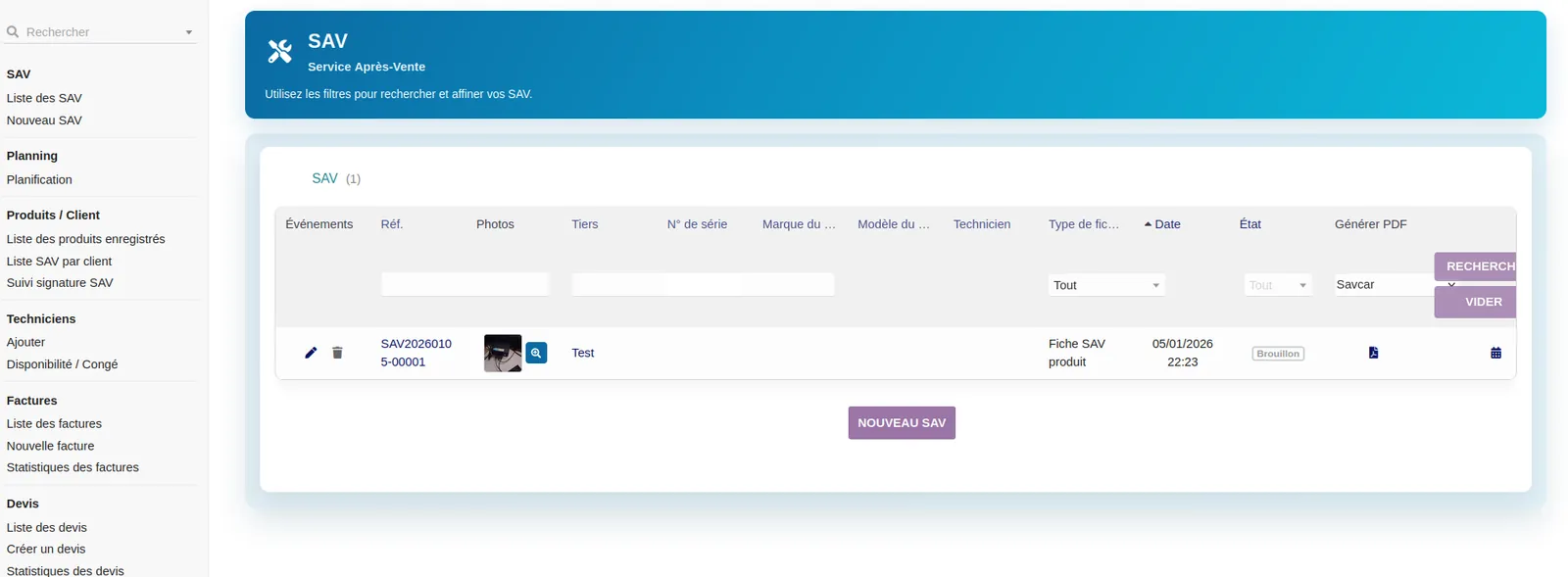
After-Sales Service — Workshop SAV & Interventions is a multi-business Dolibarr module designed to manage after-sales service files, workshop repairs, field interventions, customer equipment, appointments, technicians, photos, signatures and full action tracking.
The module is intended for companies that need to structure their after-sales service, repairs or field interventions directly in Dolibarr, with a clear, traceable organization adapted to daily work.
It centralizes SAV requests, organizes appointments, tracks statuses, manages customer equipment, uses QR Codes for photos and signatures, and keeps a complete history of completed actions.
Youtube: https://youtu.be/WZHR5oqRHnM?si=Getw_4tjFfoc4H2g
Wiki: https://wiki.dolibarr.org/index.php/Service_Apr%C3%A8s-Vente_SAV_Atelier_%26_Interventions
Module positioning
| Item | Description | Benefit |
|---|---|---|
| Main function | Management of SAV files, repairs and interventions | Complete centralization of after-sales follow-up in Dolibarr |
| Business use | Workshop, field service, maintenance, repair, troubleshooting, inspection, customer follow-up | Suitable for many business activities |
| Organization | Management of statuses, actions, technicians, appointments and equipment | Better control of the SAV service |
| Mobility | Photo QR Code and signature QR Code | Simple use on smartphone or tablet |
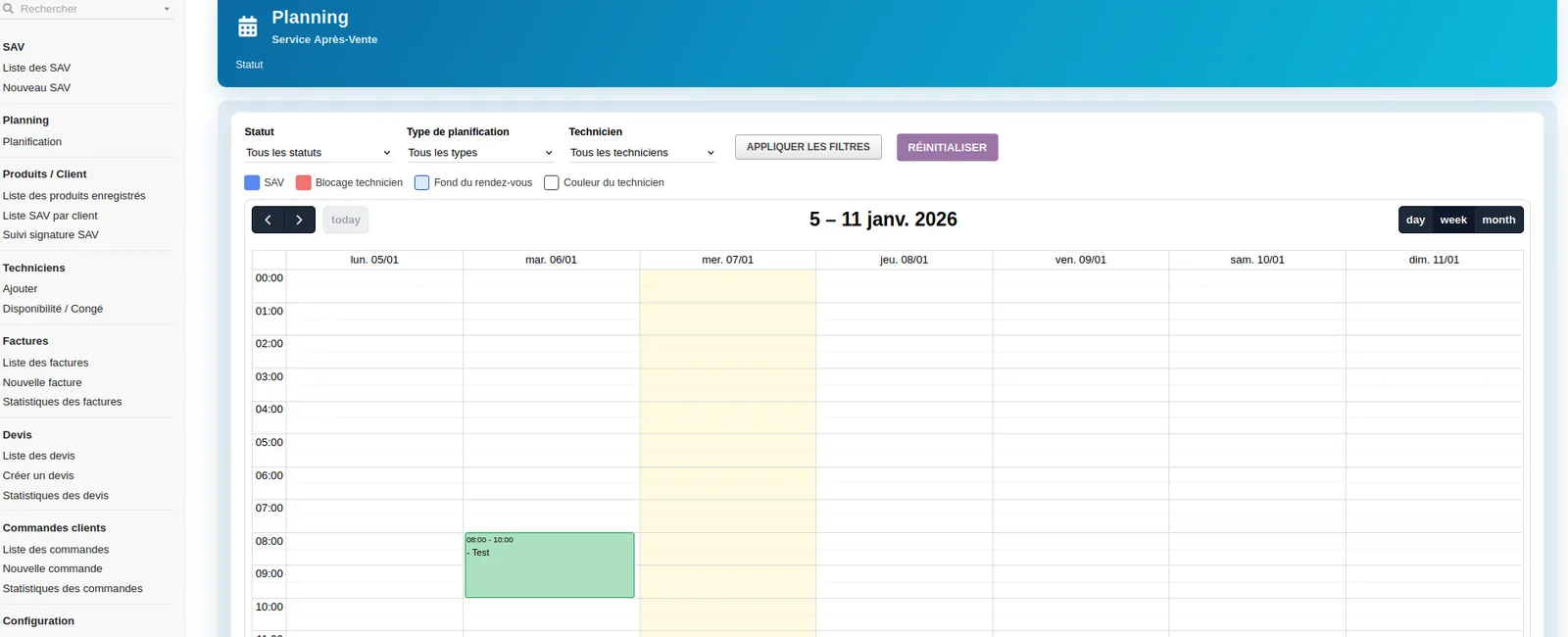
| Planning | Appointment booking, modification and rescheduling | Better management of availability and interventions |
| Traceability | Action history and file follow-up | Clear tracking of completed operations |
| Main benefit | Less dispersion across tools | A centralized and usable SAV file in Dolibarr |
Available languages
| Flag | Language | Code | Availability |
|---|---|---|---|
| 🇫🇷 | French | FR | Yes |
| 🇬🇧 | English | EN | Yes |
| 🇮🇹 | Italian | IT | Yes |
| 🇩🇪 | German | DE | Yes |
| 🇪🇸 | Spanish | ES | Yes |
Main features
| Feature | Description | Benefit |
|---|---|---|
| SAV file management | Creation, follow-up, modification and status management | Complete organization of SAV requests |
| Workshop SAV | Management of repairs or processing carried out in the workshop | Follow-up adapted to returned equipment and internal diagnostics |
| Field interventions | Management of actions performed at the customer site or on location | Better field organization |
| Centralized RAN | Centralized management with unique RAN number | Clearer file identification |
| Voice dictation | Voice dictation feature to simplify data entry | Time saving during creation or follow-up |
| Planning | Appointment booking, modification and rescheduling | More efficient management of time slots and technicians |
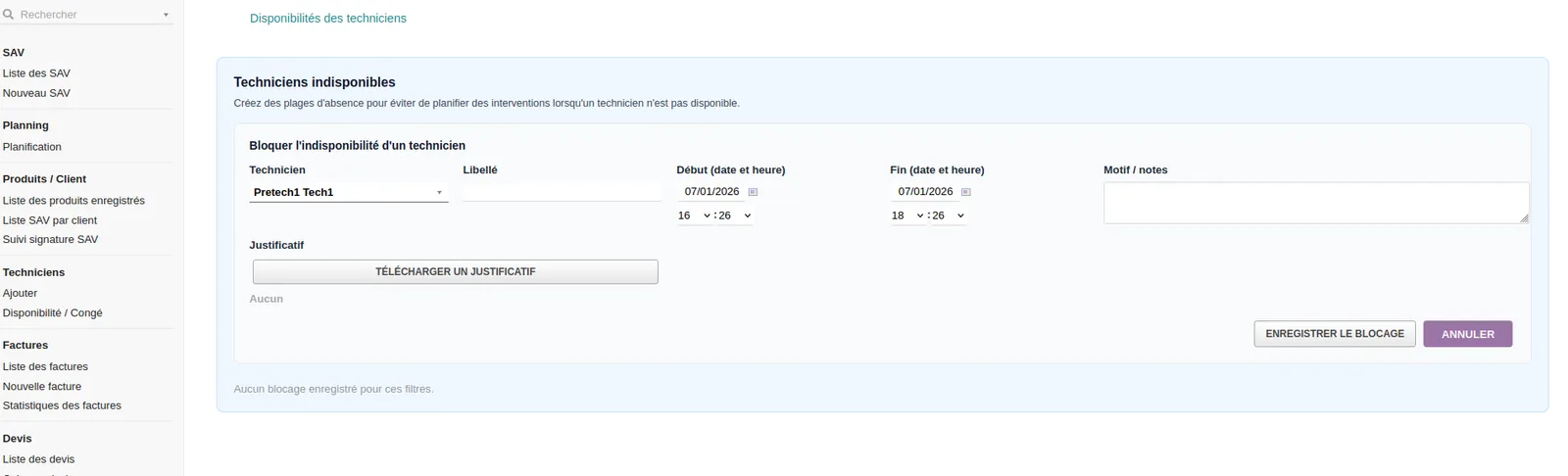
| Technicians | Management of technicians and availability | Better assignment of interventions |
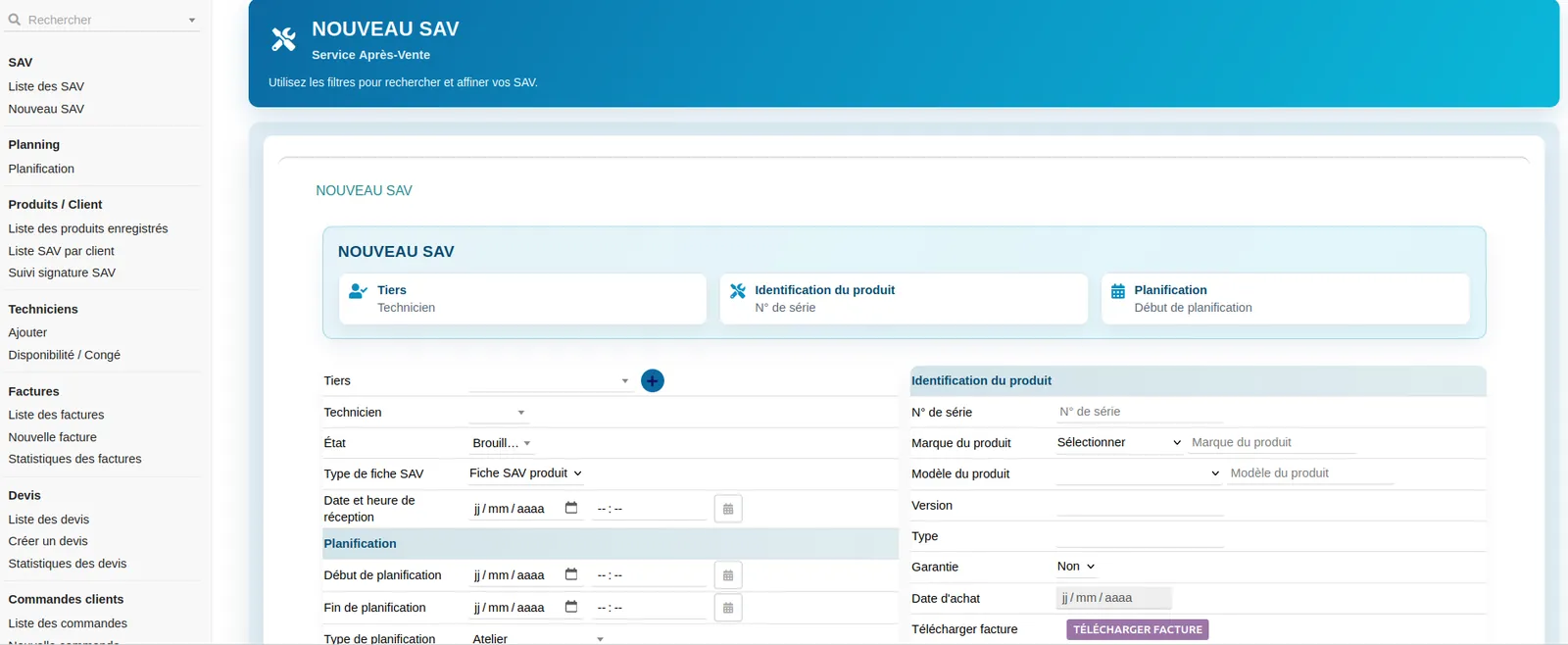
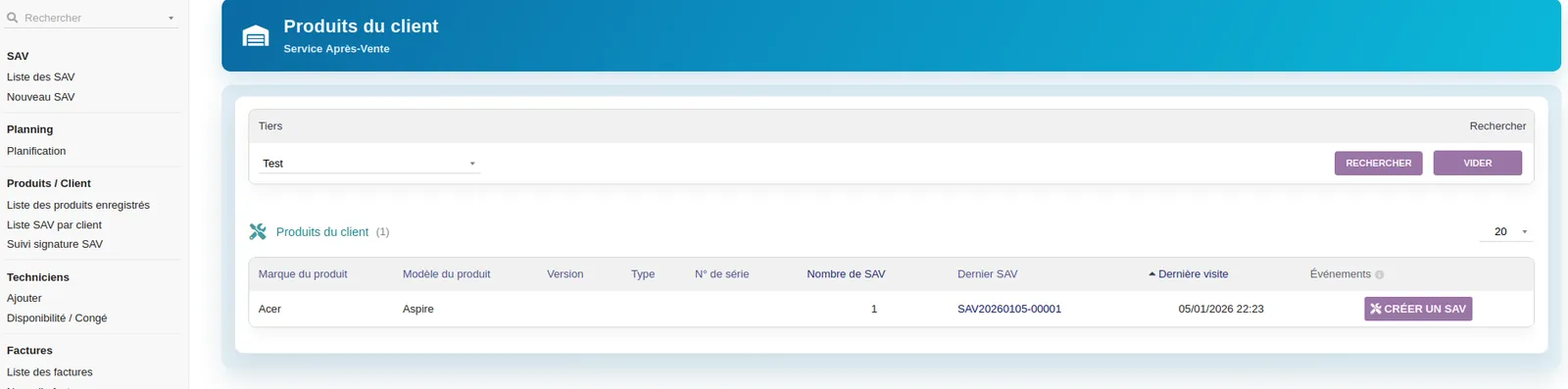
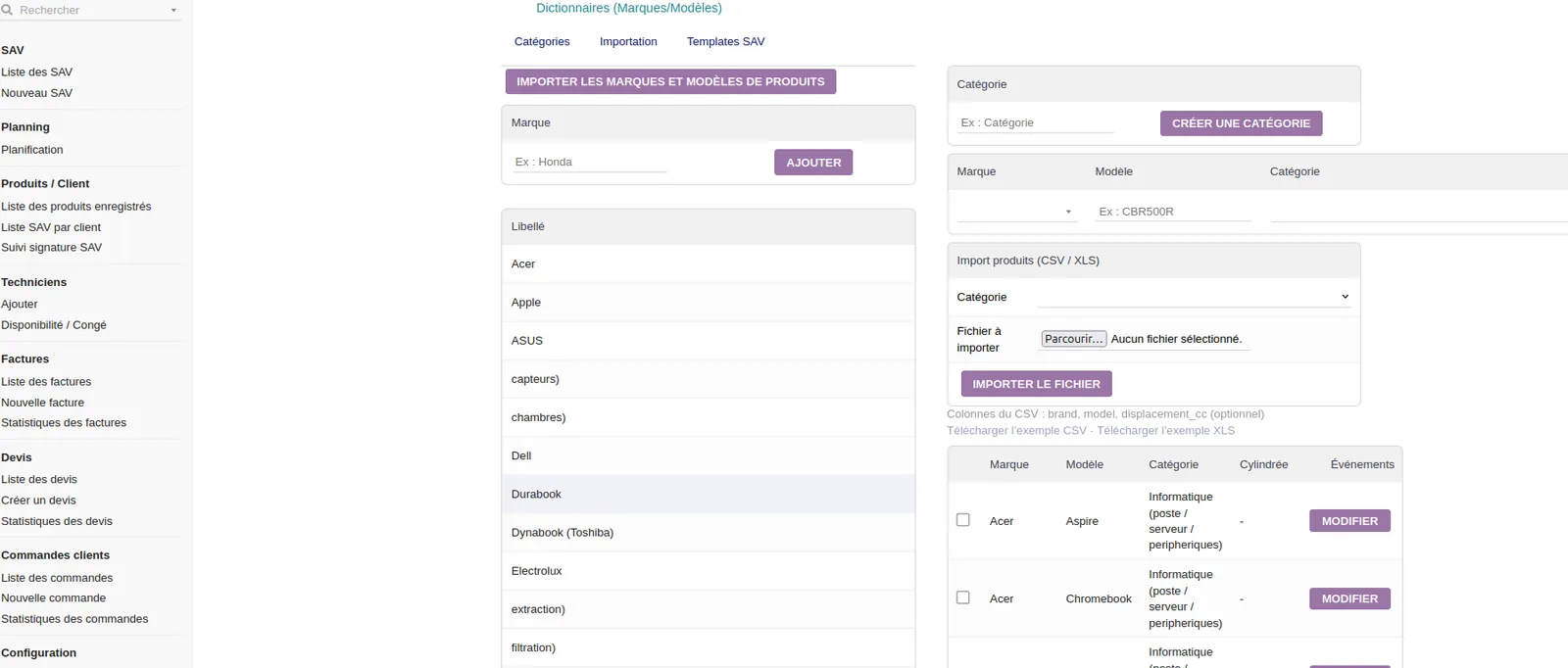
| Customer equipment | Brand, model, version, type and product information | Precise tracking of the concerned equipment |
| CSV import | Import equipment through CSV files | Time saving for existing equipment fleets |
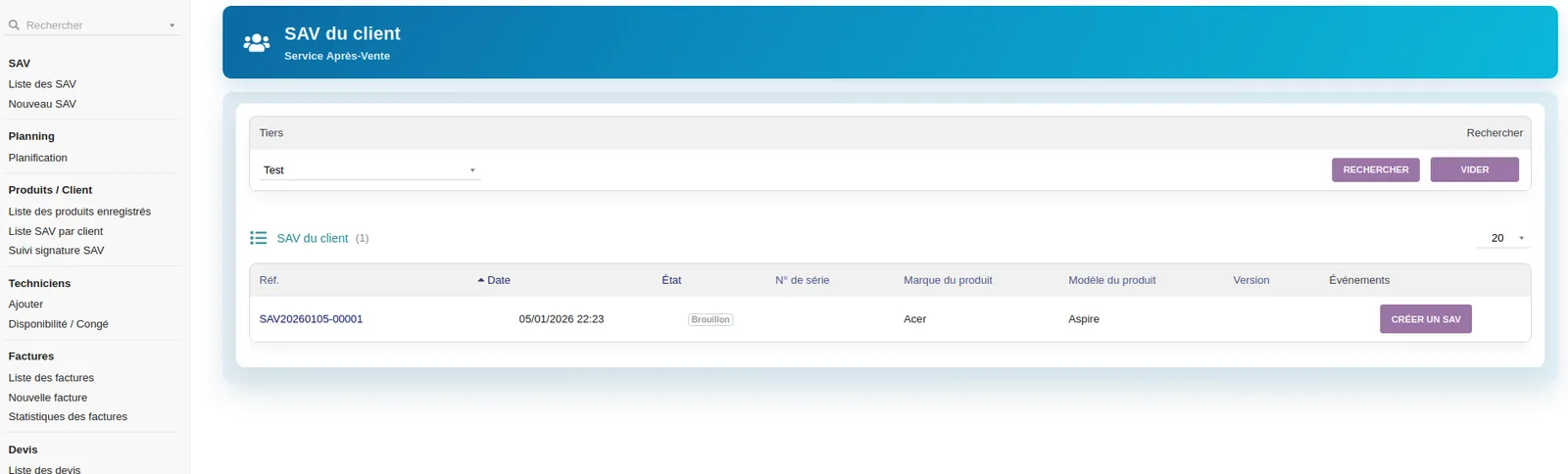
| Third-party link | Association of SAV files with Dolibarr customers | Centralized customer history |
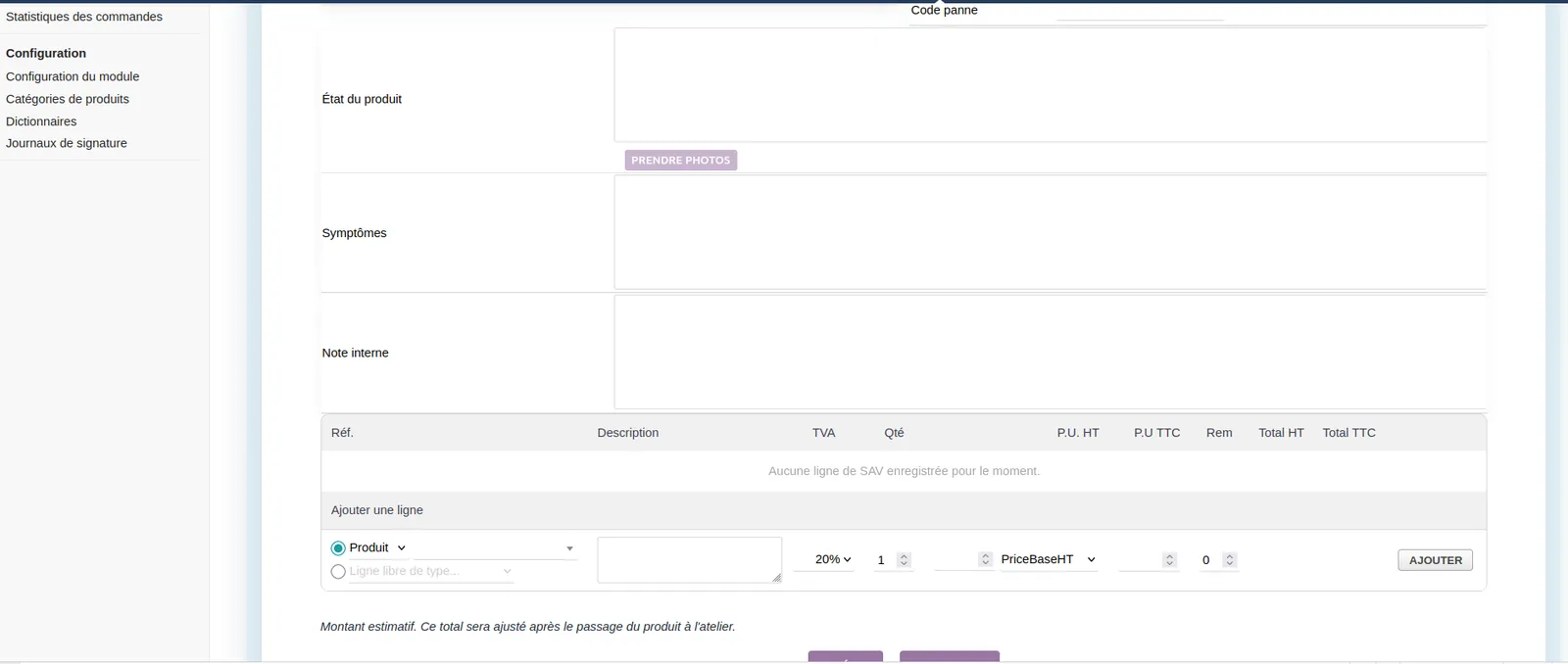
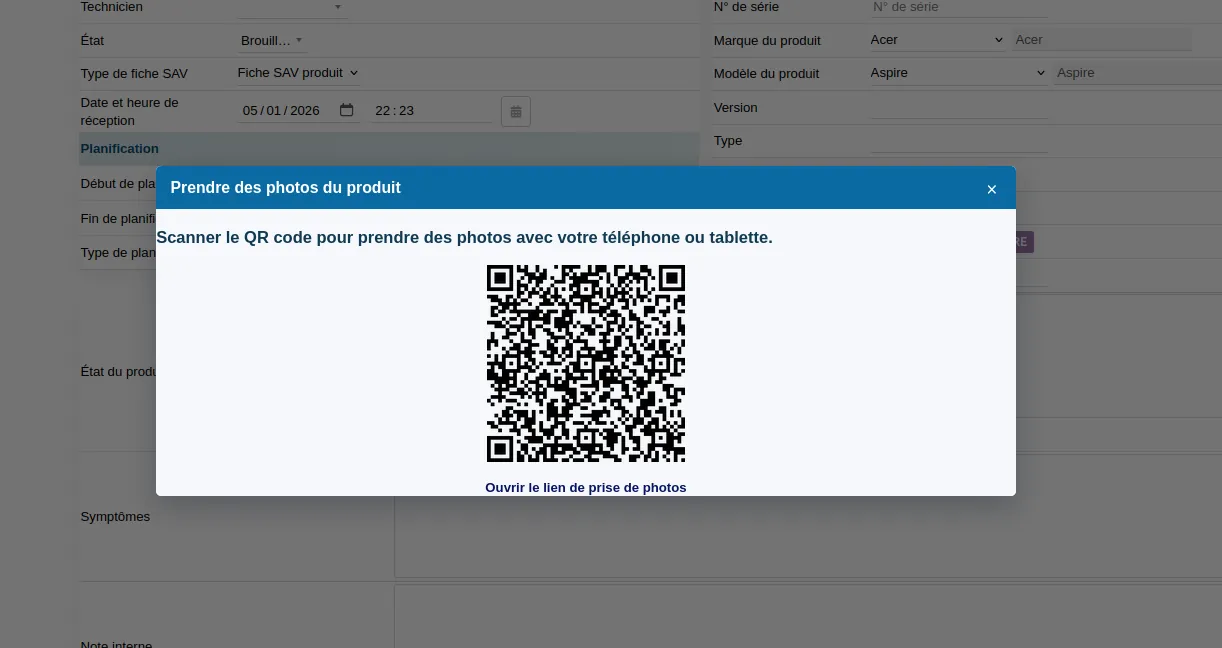
| Photo QR Code | Mobile page for taking photos and sending them to the SAV file or third-party record | Visual proof integrated into the file |
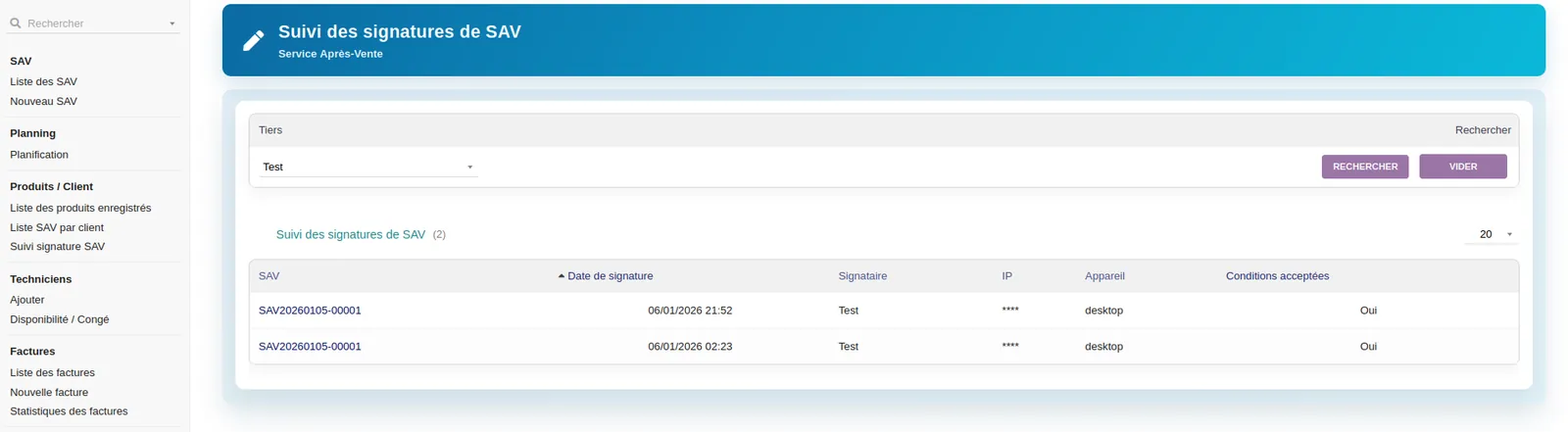
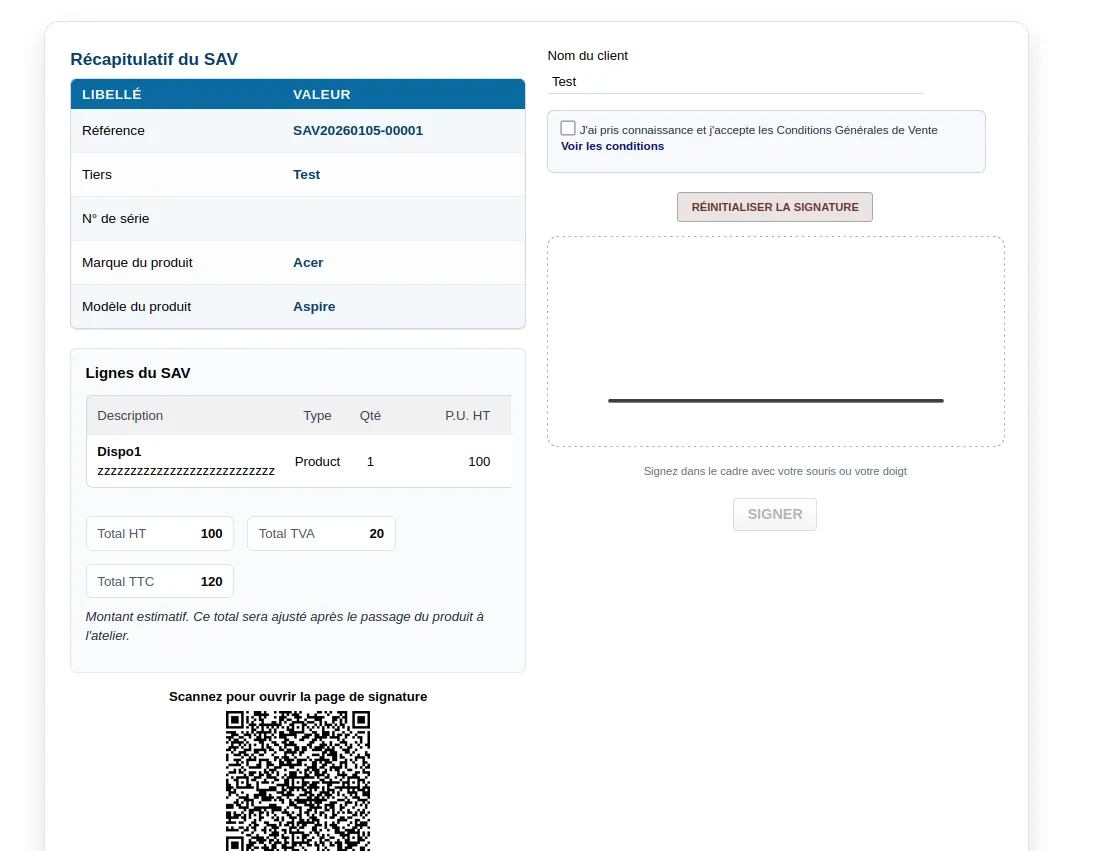
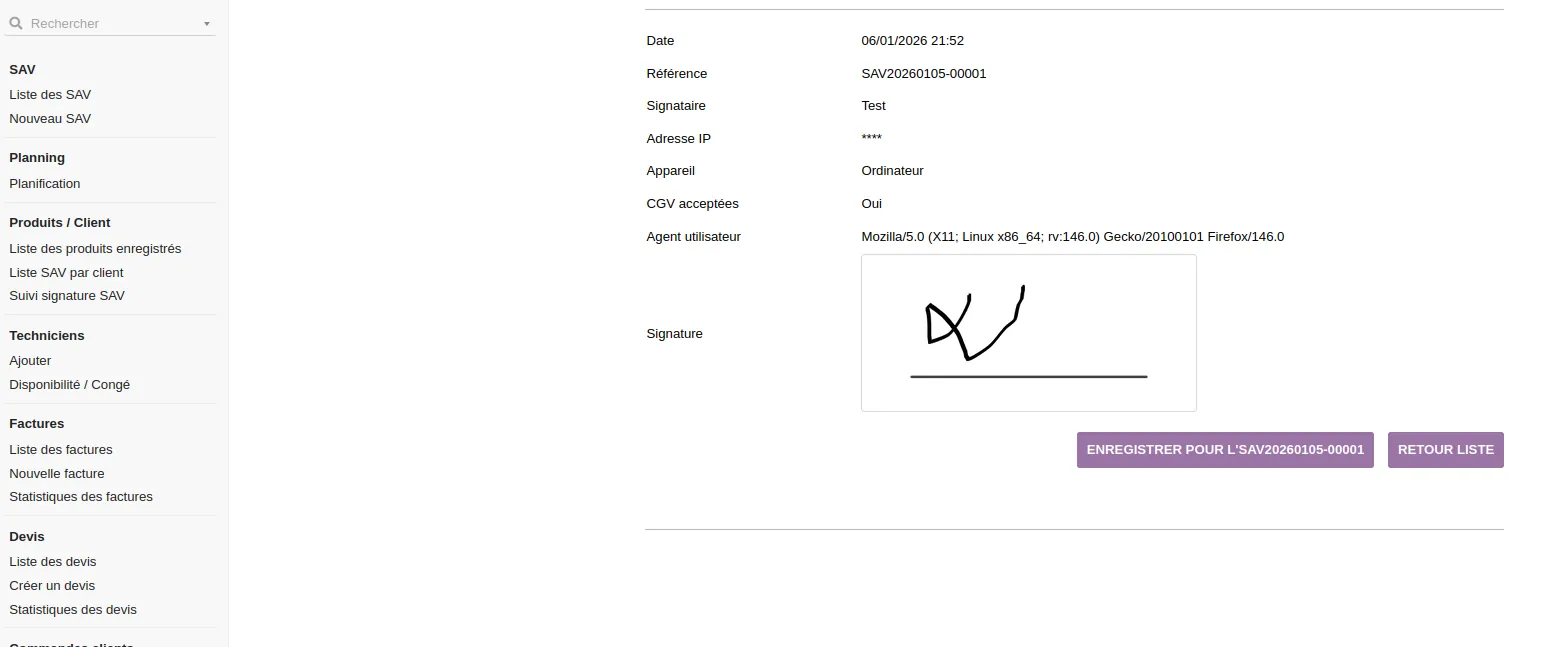
| Signature QR Code | Signature of the SAV document or workshop entry on smartphone / tablet | Simpler and more professional validation |
| Terms and conditions | Mandatory checkbox and public terms page according to configuration | Secured validation process |
| History | Tracking of actions, logs and file changes | Better internal traceability |
SAV workflow
| Step | Action | Objective |
|---|---|---|
| 1 | Create SAV file | Record the customer request or equipment return |
| 2 | Link to customer | Associate the file with a Dolibarr third party |
| 3 | Identify equipment | Enter brand, model, version, type or customer equipment |
| 4 | Planning | Book or modify a workshop appointment or intervention |
| 5 | Technical follow-up | Add actions, comments, photos, statuses and processing information |
| 6 | Mobile validation | Use photo QR Code, signature and terms acceptance if required |
| 7 | History | Keep traces of processing and exchanges |
| 8 | Closure | Finalize the SAV file with clear and usable follow-up |
Module menus
| Menu | Use | Objective |
|---|---|---|
| SAV / Repair Workflow | Main access to SAV files and repairs | Track requests and processing steps |
| Centralized RAN management | Management of files with a unique number | Quickly identify and find files |
| Planning | Management of workshop appointments and interventions | Organize time slots and availability |
| Signatures / Tracking | Management of signatures and validations | Secure SAV documents and workshop entries |
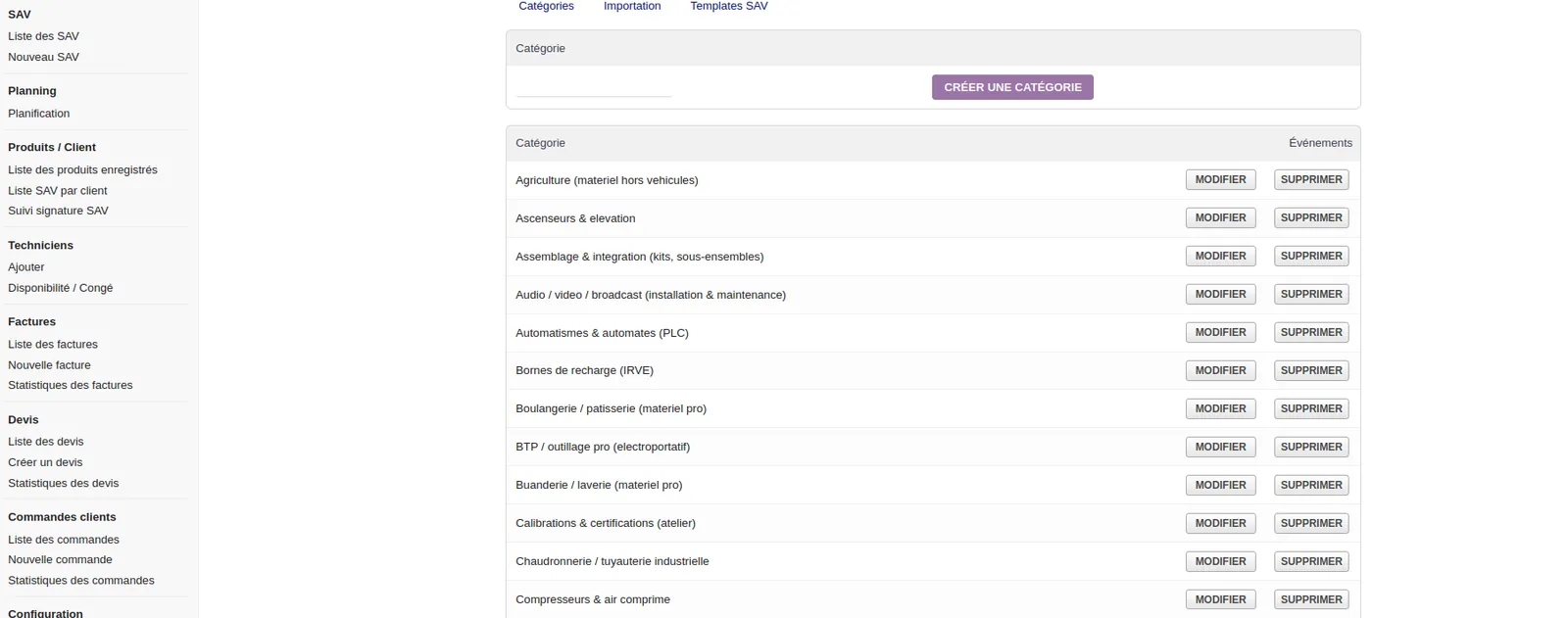
| Configuration / Dictionaries | Module settings and business lists | Adapt the module to the internal organization |
| Voice dictation | Voice input of information | Speed up the writing of notes or observations |
Photo and signature QR Code
The module includes an advanced mobile workflow based on QR Code.
This feature allows the use of a smartphone or tablet to:
-
open a mobile page linked to the SAV file;
-
take photos with the camera;
-
send photos to the SAV file;
-
associate photos with the third-party record if necessary;
-
sign a SAV document or workshop entry;
-
validate the terms and conditions according to configuration.
This workflow is particularly useful for workshops, field technicians, maintenance teams and services that need to keep visual proof or customer validation.
Customer equipment management
| Item | Description | Usefulness |
|---|---|---|
| Brand | Brand of the equipment or product | Quick equipment identification |
| Model | Model or commercial reference | Better technical follow-up |
| Version | Variant or version of the product | More precise diagnosis |
| Type | Equipment family or category | Clearer classification |
| CSV import | Import existing equipment fleet | Time saving during setup |
| Customer link | Association with a Dolibarr third party | Equipment history by customer |
Possible use cases
| Business / activity | Example of use | Objective |
|---|---|---|
| Repair workshop | Reception, diagnosis, repair, return | Track each step of the SAV file |
| Field maintenance | Customer-site intervention with photos and signature | Keep clear proof of intervention |
| Professional equipment | Customer equipment tracking by brand, model and version | Structure the customer equipment fleet |
| E-commerce SAV | Management of returns and after-sales repairs | Centralize customer requests |
| Association / internal structure | Tracking of entrusted or repaired equipment | Organize requests and history |
| Mobile technicians | Planning, intervention, mobile signature | Streamline field work |
Technical compatibility
| Item | Compatibility | Information |
|---|---|---|
| Dolibarr | V19 to V23 | Module designed for several Dolibarr versions |
| PHP | 8.x | Compatible with PHP 8 environments |
| Database | MySQL / MariaDB | Uses a Dolibarr-compatible database |
| Installation | htdocs/custom/ | Installation as an external Dolibarr module |
| Mobile use | Smartphone / tablet | Photo QR Code and mobile signature |
Installation
| Step | Action | Detail |
|---|---|---|
| 1 | Copy the module | Copy the module folder into htdocs/custom/ |
| 2 | Enable the module | Go to Configuration > Modules/Applications |
| 3 | Configure the module | Open the SAV module configuration |
| 4 | Adjust dictionaries | Configure business lists, statuses and values |
| 5 | Test the workflow | Create a SAV file and check planning, photos, signature and follow-up |
Business benefits
| Benefit | Explanation | Impact |
|---|---|---|
| SAV centralization | All files are tracked in Dolibarr | Better internal organization |
| Less information loss | Photos, signatures, statuses and history are grouped together | More reliable follow-up |
| Field mobility | QR Code, photos and signature usable on smartphone | Better technician efficiency |
| Structured planning | Workshop appointments and interventions organized | Fewer conflicts and better visibility |
| Traceability | History of actions and status follow-up | Better control of SAV processing |
| Professional image | Signature, terms and structured follow-up | More serious customer experience |
Demo video of the SAV module
Watch the video demonstration of the After-Sales Service / SAV / Workshop / Interventions module for Dolibarr.
Release notes
| Version | Type | Description |
|---|---|---|
| 3.5.9 | Fix | Improved reliability of links between SAV records, proposals, orders, invoices and interventions to prevent associations with the wrong customer |
| 3.5.9 | Improvement | Re-enabled and improved actions to create proposals, orders and invoices directly from the SAV workflow |
| 3.5.9 | Time saving | Improved automatic transfer of product/service lines, notes, extrafields and SAV references into generated documents |
| 3.5.9 | Fix | Fixed display of draft proposals in the SAV record workflow |
| 3.5.9 | Compatibility | Fixed PHP 8.2 compatibility on RAN records |
| 3.5.7 | Improvement | Create a SAV record directly from an accepted proposal using Dolibarr’s native Create menu |
| 3.5.7 | Time saving | Automatic transfer of customer, product and proposal line information |
| 3.5.7 | Smoother workflow | Faster processing between accepted proposal and SAV file creation |
| 3.5.6 | Improvement | Easier photo upload with preview before sending |
| 3.5.6 | Compatibility | Preserved display of existing older photos |
After-sales service: clearer repair tracking and more confidence for the customer
Designed for companies that need a better view of service requests, interventions, validations and supporting documents.
You keep a cleaner history of requests, stages, actions and useful documents around each case.
The follow-up becomes easier to explain when a customer asks about progress, validation or next actions.
The module helps bring together field work, documents, signatures and commercial management in one framework.
Need a standalone module, a SaaS instance or a complete solution?
KSIDol can sell the module, host it inside a Dolibarr instance and extend everything with custom development, support, document customization and email or SMS workflows.
